Can't save training after editing
-
When I try to change distance in the training, the latest version of the app (6.7.12) doesn’t allow me to save it:
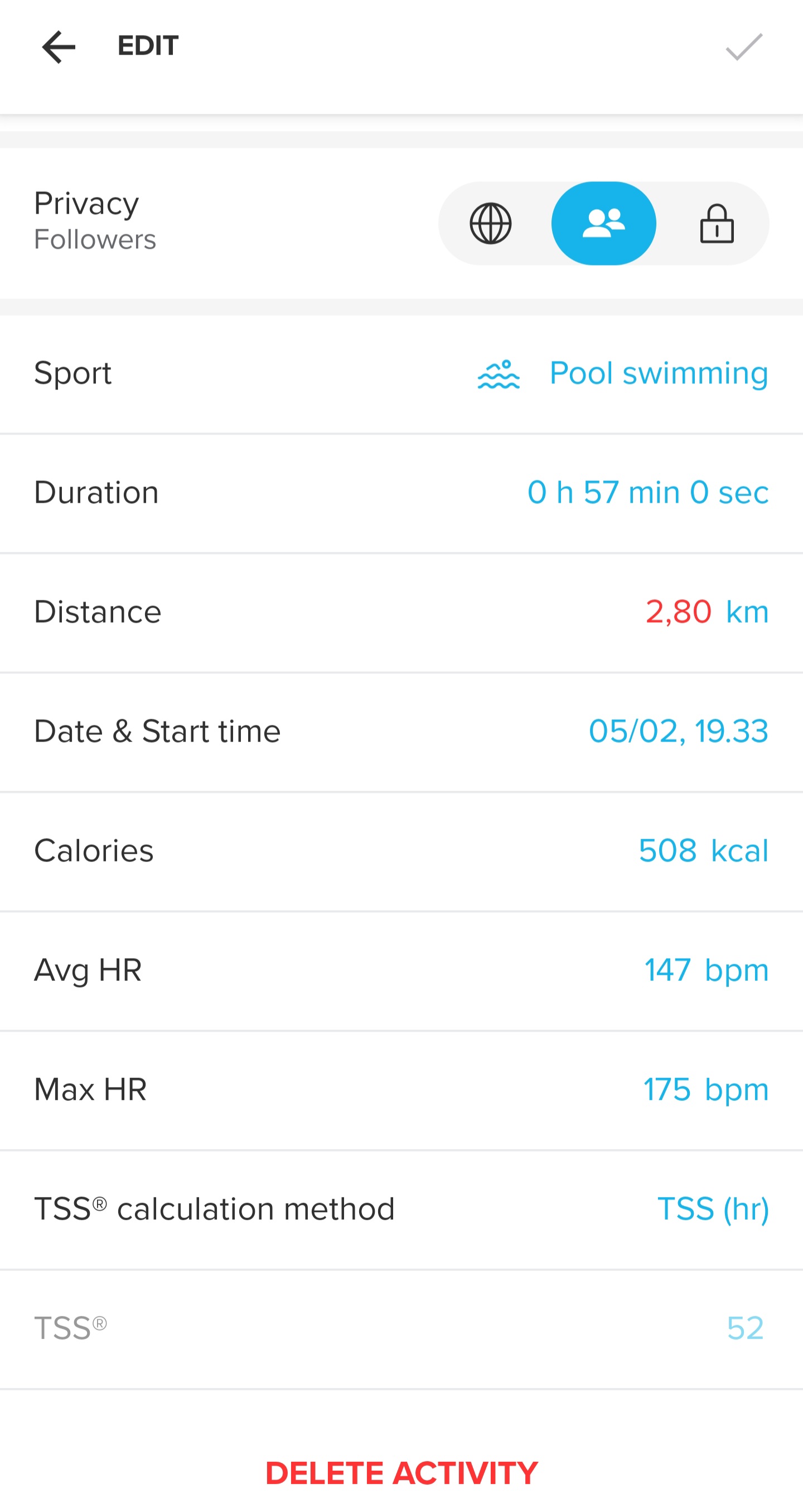
Since during swimming watch can’t count everything, this is very critical problem.
-
2,80 in red
Is it because of decimal comma instead of decimal point (dot)?
try 2.80 instead of 2,80Race S
-
Yes, had the same problem. After some changes on the values it just worked - but I don’t remember what the final change was. Maybe the . vs , like mentioned
-
@Squirrel it is not related to comma. When I enter editing mode, it is there already in red and with comma.
I found the way - I have to remove the number fully and enter the correct one. Just correction of the previous number doesn’t allow to save editing changes.
In the previous app version never had such a problem.
-
@Александр-Даниленко Mine does not show a comma, it shows 0.00 before editing. Android. I guess the red is a flag that the comma is the issue.
-
@Audaxjoe for me this is always with comma and red, when I edit:
https://youtube.com/shorts/SofSt8A1OLU?si=onMiY-xfQznOw7juAs you can see, when I enter editing mode, it is already there like that.
Android 16, Samsung S25 Ultra.
Also tried on Ipad OS - same with comma, but not red.
-
Android 16 on a Pixel 8, the same problem. Distance in red, I can edit the distance, but only full kilometres are allowed to be stored. No numbers behind the point possible.
No problems on a tablet with Android 12. There is no red distance and I can change it without any issues.
The problem started with the actual app version.
-
@pilleus Looks like the problem is officially known and will be addressed.
https://forum.suunto.com/post/185631





Hello! It looks like you're interested in this conversation, but you don't have an account yet.
Getting fed up of having to scroll through the same posts each visit? When you register for an account, you'll always come back to exactly where you were before, and choose to be notified of new replies (either via email, or push notification). You'll also be able to save bookmarks and upvote posts to show your appreciation to other community members.
With your input, this post could be even better 💗
Register Login