Suunto 2.50.28 hot-fix Q4
-
Just to add, had the same issue yesterday with the route dropping temporarily when in conjunction with a guided so every new interval caused a “route lost”/“back on route” combo.
Also, the watch hung on a zonesense screen, with nothing happening when buttons were pressed. Happily before I soft reset I tried the long press bottom button to escape to a menu, and then exited out, all was fine. Avoided the zonesense screen the rest of the run, but if someone else has that they may resort to soft resetting.
Appreciate it’s a bit late in the cycle of watch updates to report, but any idea if these have been fixed in new SW update or are unreported? @egika @dimitrios-kanellopoulos
-
Just replied to a post in the 9PP forum specific to this issue, but probably more appropriate to mention here…
After the last firmware update I started getting frequent phantom alerts/vibrations - several per day with no message on the screen or apparent reason.
In my case, this behaviour it disappeared after a few days without me taking any action, however over the last few days it has spontaneously started again - frequent phantom alerts/vibrations.
Not sure if this was acknowledged as a bug in the latest s/w and we can expect a fix in the imminent release?
-
I isazi unpinned this topic on
-
Does any one know when this will be fixed? (Vertical 1)
-
The solar widget, the one that shows how much sun the watch have harvested during the week does not update. Only if you soft reset the watch. I think it has bees like this since the release of the vertical 1.
-
When in an activity the rise to wake does not work. Even if it is enabled. This one is a really pain, especially now during spring/ summer and you trail run in the forest. The screen is really hard to read in a glance, if you are not in direct sunlight. or if you press a button. which then tae you to the next screen. which is another pain.
-
-
@helgonet12 I have not seen either of those issues in my V1 Ti Solar. I’m presuming you have reviewed all your settings and at least soft reset the watch?
Vertical Ti Solar
Vertical 2
Race 2
iPhone 17 Pro -
@larrybbaker that is verry strange. I have had the watch since release and what I can remember it has never worked. But I could be wrong. And yes I have tried everything.
-
@larrybbaker So you mean that your widget does not look like this? no matter how much or little the watch harvest sun the widget remains the same. It has done so since launch of vertical 1
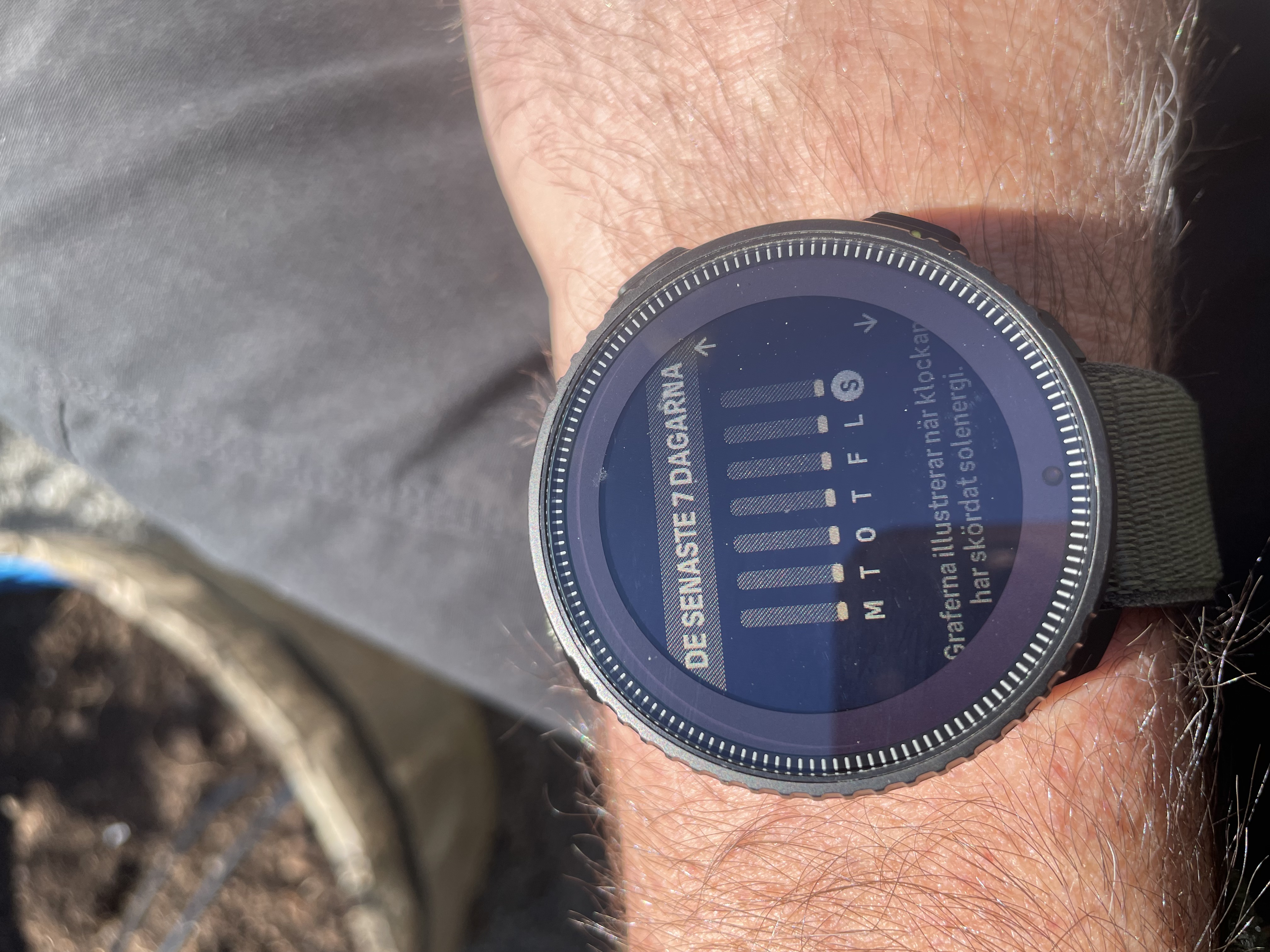
-
@helgonet12
yep, it refreshes only if you restart the watch -
@sartoric ok thanks for the info. I guess it will never be fixed then.
-
Maybe a bit late to report but I am having recuring problem with power meters (Favero Assioma, ROTOR INPower) and V1.
On a ride if I stop (watch auto-pauses) for a break long enough so the power meter turns off (for battery saving I guess), then they cannot reconnect when I continue the ride.
Haven’t meticulously tested all possible scenarios (waking up sensor before unpausing etc), when I remember that the problem might occur I just spin the pedals/crank every now an then so it does not turn off and everything is ok, but if I don’t remember it then it might happen (if not then everything is ok and I just do not notice
 )
)I can recall that at some time I got a message at a completely random time (outside activity or a menu) regarding an error for connecting to sensor but maybe it’s unrelated.
-
@mlakis Unpause and in the activity menu choose “Tour” battery profile, then switch back immediately to “Performance”. This will disable and reenable Bluetooth in the watch and forces it to reconnect with sensors. I do it with Inpeak wattmeter.
-
@mlakis Unpause and in the activity menu choose “Tour” battery profile, then switch back immediately to “Performance”. This will disable and reenable Bluetooth in the watch and forces it to reconnect with sensors. I do it with Inpeak wattmeter.
Wow, thanks @jan-krejčí, will try it next time, though heads up on this Suunto-related people, should be addressed for sure.




Hello! It looks like you're interested in this conversation, but you don't have an account yet.
Getting fed up of having to scroll through the same posts each visit? When you register for an account, you'll always come back to exactly where you were before, and choose to be notified of new replies (either via email, or push notification). You'll also be able to save bookmarks and upvote posts to show your appreciation to other community members.
With your input, this post could be even better 💗
Register Login