Live location S+ app
-
Just re-checked it can be reproduced and yes the connection to the suunto app gets lost as soon as the live tracking app is connected. I am running with HR belt and no other sensors.
To get the connection back after running I have to shutdown and restart the suunto app.
This does only work after the activity has been stopped. -
Hi to all. I have 9 Baro but i cannot make live tracking work. If anyone could help i would appreciate it.
When i open Live T i get a watch connection because i see Mac Address. But when i start an exercise (mostly trail running) i select sport App then Live Tracking and nothing happens. It is very important for me because i run on mountains alone and till now i use google maps to send my position for safety. I will appreciate any help to make work.
Thanks in Advance. -
@lonstlubin your watch is not compatible. Works only from S9pp
-
@Tieutieu I so sorry about this…i thought…
-
thanks a lot for this app. It’s working on my “Suunto Race 2”
-
I used live tracking on my Vertical. I wanted to know if there’s a way to receive notifications on the watch when using this app. Currently, as soon as I enable live tracking and record an activity, I don’t receive any notifications. I have an iPhone 15.
-
@graciti In its current form (separate service and app), this isn’t possible. The watch maintains only one connection. SuuntoApp disconnects.
For this reason, I don’t use this service.
-
@maszop this stopped me from using this feature. I really love the spoken hr / climb / pace values at each lap - which is not working if the suunto app is disconnected.
Maybe Suunto could implement the location tracking in the Suunto App now the Suunto+ app is there now. @Egika, @isazi, @Nikolai-Simonov, @Dimitrios-Kanellopoulos maybe there is a chance to get it integrated?
-
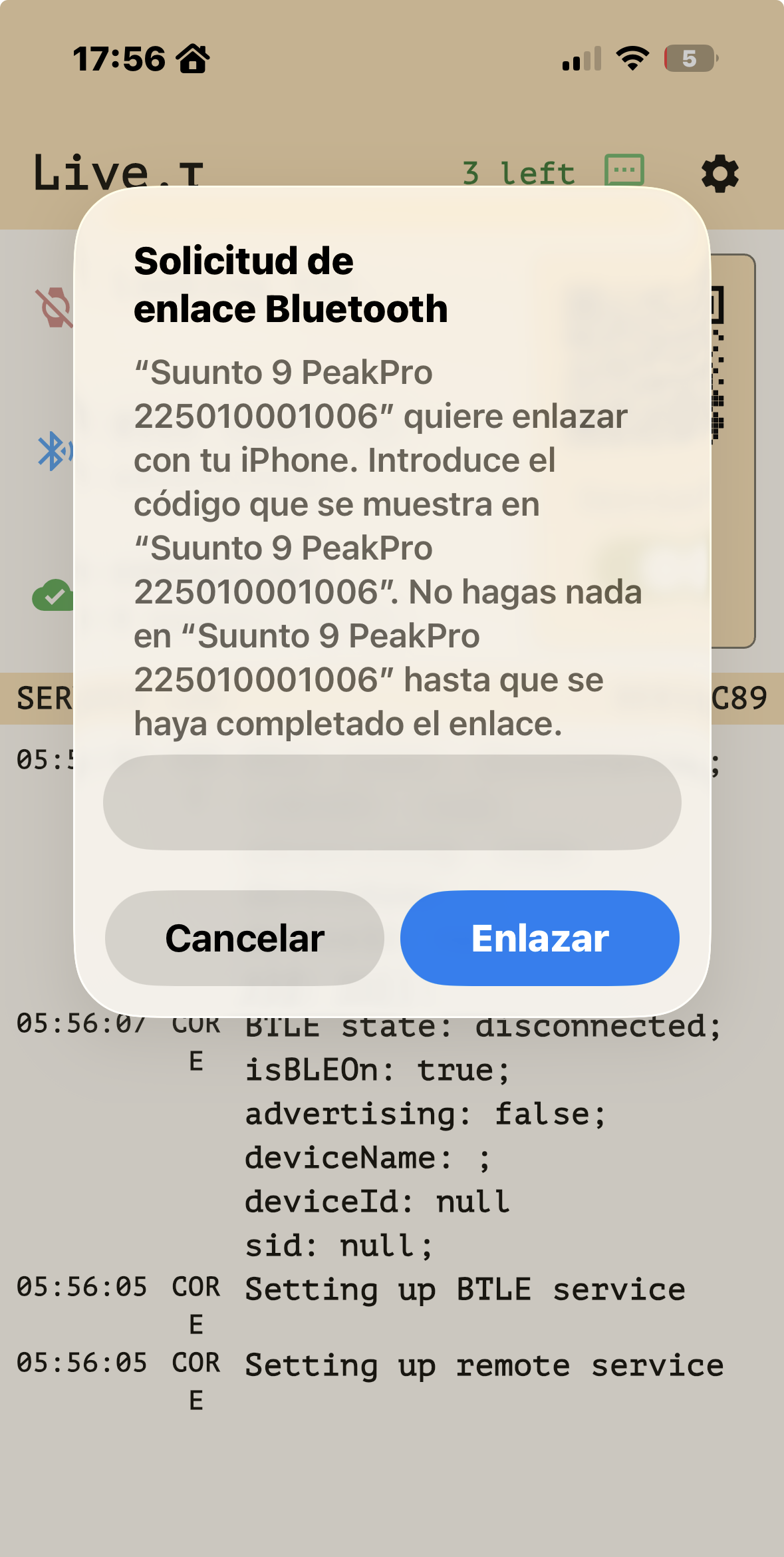
@nikolai-simonov, since last FW update, the App keep asking me to reconnect BT using the 6 digits code, which does not show in the watch. I can connect, anyway, by discarding the message in the iOS App: the S+ app, the corresponding connection and the live update using the link works perfectly fine.
Maybe it is just a problem of my phone or Suunto App connection, but I thought you should know it.
You made an excellent app, thanks a lot for keeping it free.
J
-
@Efejota hmm… it’s a bit strange, it could happens on android but on iOS this message shouldn’t appear. which watch are you using?
I believe it could happens actually because of iOS update, rather FW update. what iOS version on your phone? I’ll try to reproduce it
-
-
@Efejota Oh! such an old app! I recommend to update it. the lates in store should be 1.0.12
not sure if it’s root cause but still
-
@Nikolai-Simonov OMG
Updated, BT connection with iPhone and watch with Suunto App. Still the same message. Connection is still possible, though.FJ
-
@Efejota thanx! got it, i’ll take a look, hope it will be easy to reproduce
-
I really like the app! It’s somewhat cumbersome to set up every time but it works.
Is there a way to change metrics being shown during running? It’s showing km/h instead of min/km.
S9PP 2.50.28
-
Hey all! I want to share some news regarding development.
You might have noticed that the S+ app was recently updated. We’ve introduced bi-directional communication, which unlocks two major features: geoposition-based laps and sending messages directly to the watch.
Here are the details:
-
Geo Laps: You can now place a checkpoint and set a “LAP” action for it. When you reach that endpoint, a lap will automatically trigger on your watch.
-
Messages: Your watch can now receive messages! There are currently two use cases:
-
From a Checkpoint: You can send a message via a checkpoint—just check if the watch icon is active, and the message will be sent to your wrist.
-
Message from Live view: People watching your activity live can send messages right from the browser. For now, this is a hidden feature. they need to manually add
?messenger=trueto the end of the URL. so it would lok likebeta.athletica.one/live/@username?messenger=true
-
All these features should work on the current Live.τ app, but for the best experience, I recommend joining the TestFlight tester group.
Here’s a video example of how messages work: https://drive.proton.me/urls/PWRAQW3VE0#jI2tOqIIdfr8
I’ve also prepared an app update. It’s currently in review, but I hope it will be publicly available next week. One of the major improvements is better session restoration logic.
In situations where the watch or phone disconnects, the next version will check for any unfinished activities. You’ll be asked if you want to continue the session or start a new one. If the disconnect happens in the background, we will automatically resume the session for you.
More info coming in the next post when it hits the stores!
P.S. We are also working on live streaming capabilities! This will allow you to stream your location to YouTube, Instagram, or Twitch whatever via RTMP. Let me know in the comments if this sounds interesting to you.
Suunto Race 2 Ti
Suunto Race
Suunto 9 BaroSuunto Aqua
Suunto Wings -
-
@Nikolai-Simonov, amazing!
-
@Nikolai-Simonov That sound great! Are there any plans to allow the Bluetooth connection to work simultaneously for both the tracking app and the Suunto app? Currently, I don’t receive any notifications when live tracking is active, and I can’t sync new routes to the watch because the Suunto app loses its connection. This is quite frustrating during explorations in unknown terrain when I need to adjust and resend my route on the fly.
-
Are there any plans to allow the Bluetooth connection to work simultaneously for both the tracking app and the Suunto app?
I absolutelly understand that pain, because i also used it along side with the suunto app. however, currently it’s not possible due to so many platform limitations.
Suunto Race 2 Ti
Suunto Race
Suunto 9 BaroSuunto Aqua
Suunto Wings -
@Łukasz-Szmigiel Just tap on it. It should toggle between speed and pace.
not intuitive… agree. every time forgot to work on that part of ux.










Hello! It looks like you're interested in this conversation, but you don't have an account yet.
Getting fed up of having to scroll through the same posts each visit? When you register for an account, you'll always come back to exactly where you were before, and choose to be notified of new replies (either via email, or push notification). You'll also be able to save bookmarks and upvote posts to show your appreciation to other community members.
With your input, this post could be even better 💗
Register Login