Update time in Europe?
-
@isazi app sync is what was needed. Changed as soon as it completed :).
-
@aleksander-h now send a new updated picture

App: beta
Phone: Iphone
iOS -
Also working tap method from Spain!
Admins I suggest you to create the proper post to comment the Update -
-
@qwert12 they probably think the update has been discussed to death at this point

-
@aleksander-h yup
-
yeah - downloading as I post.
-
@qwert12 you are free to start a new topic if there is something specific you want to discuss

-
I can’t believe this worked, downloading it right now. Thanks!
-
Got the update already in the UK and really liking it so far
I’m looking forward to seeing it populated with data
-
I’d be curious to know if we are now filling up that 10% slot for today? Will the trick stop working if enough people try it during the first day
 ?
?It is actually quite a clever trick to implement. The people doing this are probably among the more tech interested users out there, and will therefore also be those best equipped to handle/report unexpected errors.
-
Woot mine is now updated. Did check a “few” time to many, but got it. Looking so much forward to seeing how the new feature work. Especially sleep tracking.
-
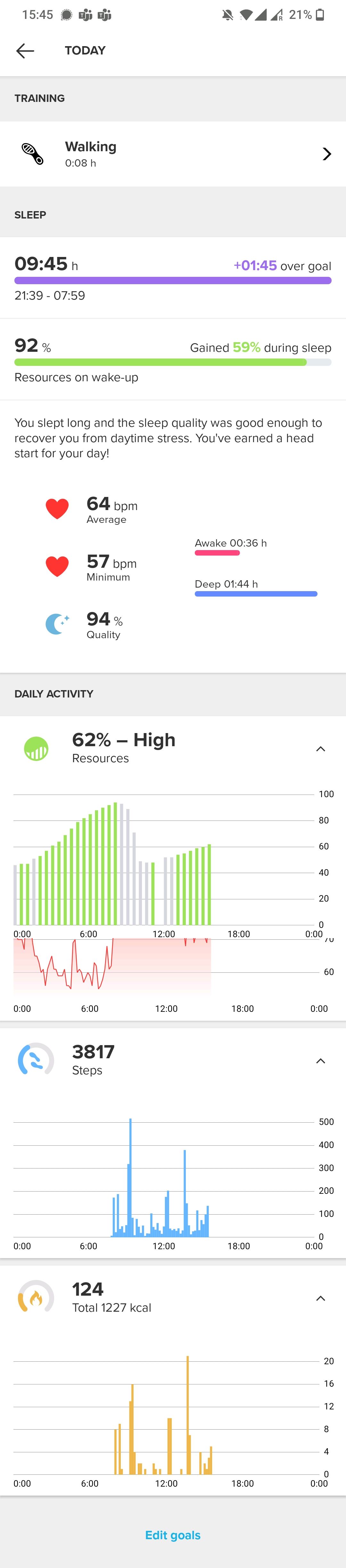
Does the heart rate (or Resources) appear in the app anywhere ‘more obvious’, I was kind of expecting them to appear in a tab in the Diary similar to Steps & Calories.
It seems a bit odd - now if I click on the ‘Today’ bit of Calories, I get Todays graphs of Resources and Heart Rate, but oddly can no longer see todays Calories, I have to scroll back to yesterday!? (I assume its same with Steps, it seems to have lost todays Steps - but clicking the 0 steps takes me to Resource and Heart rate graphs, but no Step graph!!).
Actually - have ‘todays’ Calories and Steps graphs disappeared entirely?

-
@nigel-taylor-0 not sure what you talk about. This is my view
Community Manager / Admin @Suunto
Creator of quantified-self.io — a next gen training dashboard with MCP access, cross-service activity and route sync
-
@nigel-taylor-0 there are some tiles you can set that show this information.
And speaking of tiles, there is no longer a five tile limit!!
Suunto 7 Graphite Copper
Suunto App Beta (Android - Pixel 6 Pro) -
@olymay said in Update time in Europe?:
@nigel-taylor-0 there are some tiles you can set that show this information.
And speaking of tiles, there is no longer a five tile limit!!
Yup I get that, but I want to review actual data on the Phone where I can see it! (have added 3 new Tiles though
) -
@dimitrios-kanellopoulos said in Update time in Europe?:
@nigel-taylor-0 not sure what you talk about. This is my view
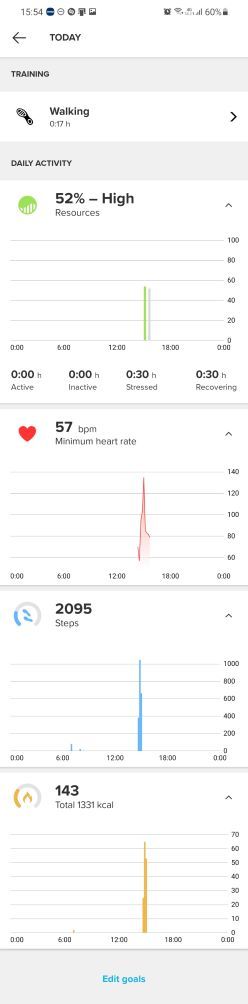
My screen with <-- TODAY at the top just has Daily Activity heading and then only Resources and Heart Rate underneath, no Step or Calorie graph (and no Sleep, but I guess that will be rectified when I’ve actually slept!).
If I go to yesterday I see ‘Steps’ and ‘Calories’.
(it may be because I’ve not actually moved since the update?! Will try as soon as I can finish this meeting
 )
) -
@Nigel-Taylor-0 I’m seeing everything I would expect to see on my Android phone.
-
@nigel-taylor-0 reboot your phone, or restart the app.
Watch: Suunto Vertical 2 Titanium Black
Blog: isazi's home
-
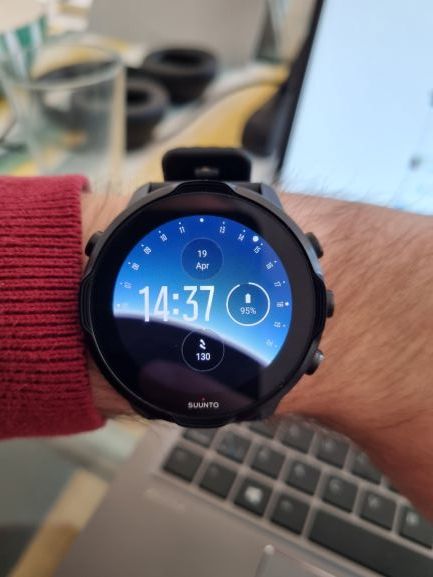
@aleksander-h I don’t think these update % allocations apply with this screen tapping community!









Hello! It looks like you're interested in this conversation, but you don't have an account yet.
Getting fed up of having to scroll through the same posts each visit? When you register for an account, you'll always come back to exactly where you were before, and choose to be notified of new replies (either via email, or push notification). You'll also be able to save bookmarks and upvote posts to show your appreciation to other community members.
With your input, this post could be even better 💗
Register Login