Description field in Suunto app
-
Android right?
Community Manager / Admin @Suunto
Creator of quantified-self.io - sync Garmin and COROS activities to Suunto, import Suunto routes, deliver Suunto routes to Garmin courses, and analyze training data in one private dashboard. -
@dimitrios-kanellopoulos
For me yes.@dedo2319
With entering the data directly in database (with android rooted) we can have : (and I stop with 7 rows )
)
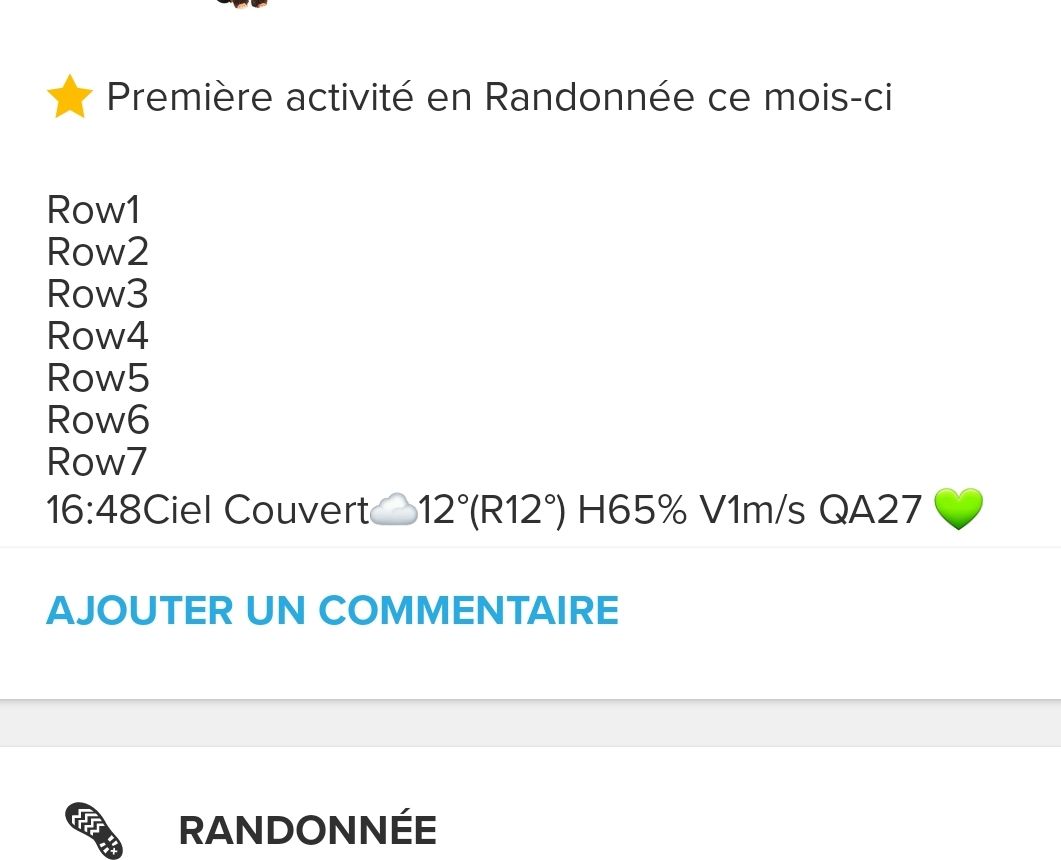
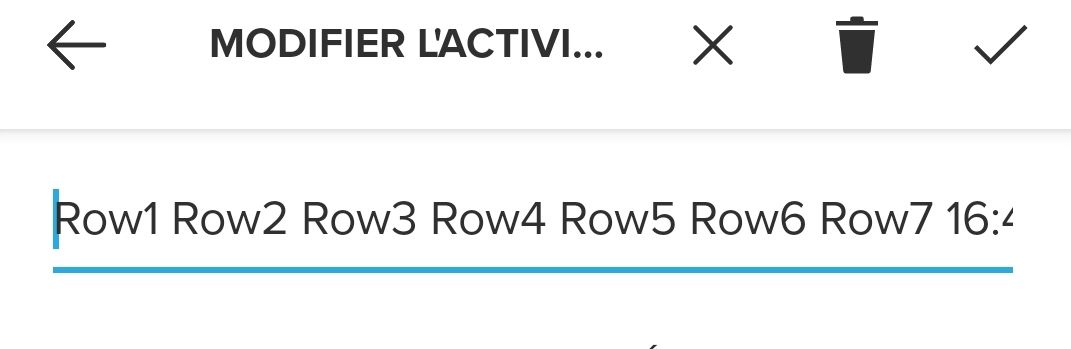
But editing in the app is not that good and not enable feed line entry

-
Weird, as I have no issues with seeing more than 3 rows. In the diary section / activity tab - I can see numerous comments, where my description due to Klimat and additional items that I have added (tend to use google keep to write out the note and then copy it in - posting it prior to the klimat update).
So I edit it the normal way, but just paste in the additional text.
To read I just view the detail in the tracking tab - where the summary for each activity is shown. Comes up in summary and or in activity view.Am using latest beta version of android app.
-
One row for RPE, another for shoes; another for device… using shortcuts in iOS…
Wait! That’s only android!!! I was dreaming.
For what do you use the rows?
Tu comunidad Suunto en Telegram: https://t.me/suuntocommunity (spanish)
-
@jamie-bg said in Description field in Suunto app:
tend to use google keep to write out the note and then copy it in - posting it prior to the klimat update).
So I edit it the normal way, but just paste in the additional text
Hey, thanks, I installed Google keep, and copy paste in SA edit mode is adding well multiple lines

-
@bulkan yep, once upon a time in top place… now it lags way behind.

@Dimitrios-Kanellopoulos aren’t you going to get into iOS development too?
-
@bulkan weight training sets and a more organized looking interval documentation just to name two I’d use it for
-
@bulkan in case of races I use it to take note of race name and my official time.
-
@bulkan I use it for anything that I want to search on.
In the summary view we can only filter on totals, duration, distance, calories, avg heart rate, average speed, average pace, activities, ascent.
However I think data like PTE, EPOC, Recovery, steps, cadence etc should all be, strokes, laps etc should all be included as filterable - however as no option I add info like that to my description field i.e.
PTE3.1 EPOC48 Rec08 - so if I want to view all my activities where I have a EPOC of +70 I can then go into the search bar and put in EPOC7 - and it will filter out all of those activities.Note - I have put down that I would love to see this area improved so that all recorded data is filterable - not just what suunto thinks is important. The database is there - this is just an unnecessary artificial limitation that should be easy to fix.
-
@dedo2319 I’m on iOS. Referring to the other comments added, I tried to copy/paste the text from other app (e.g. google keep), and it works, however, I can not see more then 3 rows if I review the activity afterwards.



Hello! It looks like you're interested in this conversation, but you don't have an account yet.
Getting fed up of having to scroll through the same posts each visit? When you register for an account, you'll always come back to exactly where you were before, and choose to be notified of new replies (either via email, or push notification). You'll also be able to save bookmarks and upvote posts to show your appreciation to other community members.
With your input, this post could be even better 💗
Register Login