Ambit2: self-written suuntu-app does not work
-
Hello dear Co-athletes,
i have written a small program for my Ambit2, which is also error-free after “Verify” on “http://www.movescount.com/de/app”.
Under the item “Verify” you can find the item “Test”.
There you can set the Suuntu variables with the sliders and a result should appear in the clock.
But this does not work.
There is only the text “Whoops! Please check the formula.”
My little program is:/*BSA nach Mosteller in m² */
/*SUUNTO_USER_AGE in Jahren */
/*SUUNTO_USER_WEIGHT in kg */
/*SUUNTO_USER_HEIGHT in cm */
/*RESULT VO2 in ml/min /
BSA = Suunto.sqrt(SUUNTO_USER_WEIGHTSUUNTO_USER_HEIGHT/3600);if (SUUNTO_USER_GENDER == 1) {
VO2 = 138.1 - 11.49 * Suunto.log(SUUNTO_USER_AGE) + 0.378 * SUUNTO_HR * BSA; /* Männer /
}
else {
VO2 = 138.1 - 17.04 * Suunto.log(SUUNTO_USER_AGE) + 0.378 * SUUNTO_HR * BSA; / Frauen */
}
prefix = “VO2”;
RESULT = VO2;What’s the fault?
Not even a little formula like:
TEST = SUUNTO_USER_HEIGHT/36;
RESULT = TEST;
works Same error!
 -
You need to define and initialize your variables, like this:
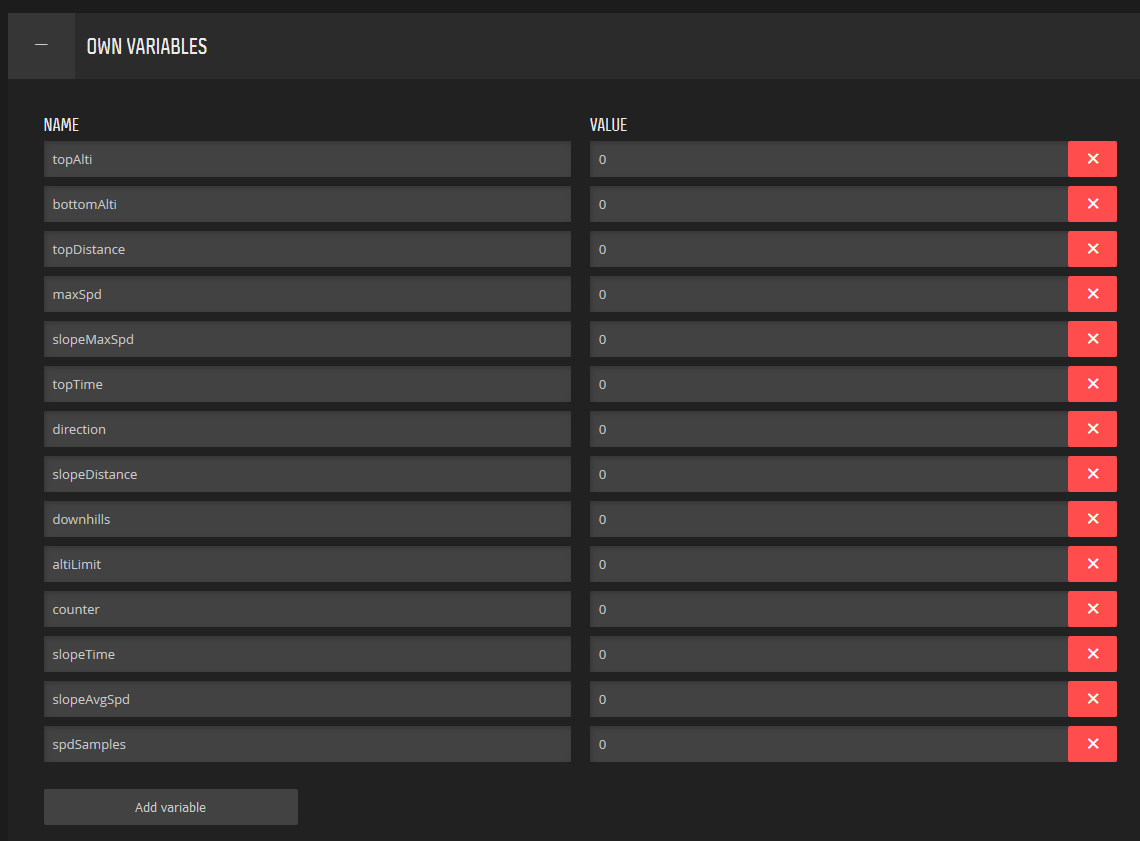
-
Man, that’s it!

Thank you!
Hello! It looks like you're interested in this conversation, but you don't have an account yet.
Getting fed up of having to scroll through the same posts each visit? When you register for an account, you'll always come back to exactly where you were before, and choose to be notified of new replies (either via email, or push notification). You'll also be able to save bookmarks and upvote posts to show your appreciation to other community members.
With your input, this post could be even better 💗
Register Login