Outback Adventure (Vertical 2) watchface is public
-
@nassoscal something seems to have been mixed up here.
Maybe uninstall this watch face, restart the watch and install it again…? -
@Egika i did that several times. nothing changed.
-
@nassoscal what is the firmware in the watch?
-
@nassoscal
It will most likely be fixed after updating the firmware. Newly purchased watches usually come with factory firmware. -
@Egika I’m running the latest firmware if I’m not mistaken 2.53.42
-
The problem isn’t the green battery icon but the sunset bar.
-
The problem isn’t the green battery icon but the sunset bar.
Yeah, but your post mentioned nothing of the kind, and even though you posted in a thread dealing with the Outback Adventure watchface not everyone reading or replying here actually use that watchface. It took awhile for myself to notice the glitch, and then I only thought the 20:50 sunset time was misaligned and having a greying slash horizontally. Installing the face on my own Race S I now see that the whole upper part of your watch is screwed up (and my watch also is at the latest 2.53.42 Firmware):
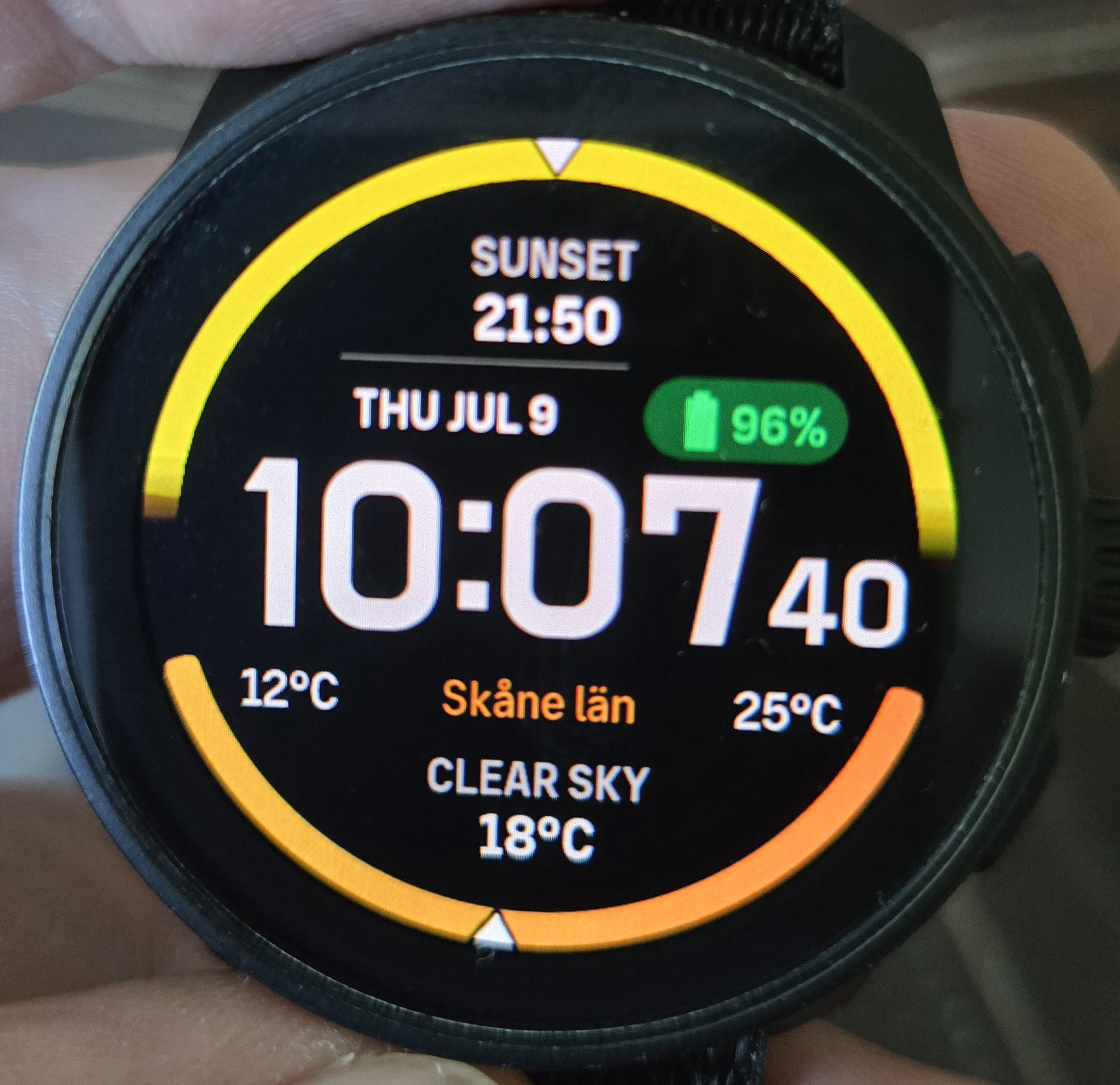
So, your problem can not be particularly widespread, otherwise there would be an almighty uproar in the community. While waiting for the next FW drop (should be any week now since a new App version became available a day ago and the quarterly FW is overdue) the only extra experiment I can suggest is that you try switching complications a few times: Settings - Customize - Complications - Empty (for example), and then (after backing out of the whole menu system) go back and choose Sunrise/Sunset again.
Though I am not particularly optimistic about that switching solving your problem… These watches (from all manufacturers - I’ve used Garmin, Coros, Suunto and Huawei) are extremely susceptible to odd bugs that only manifest in a small subsection of a particular watch version (or manufacturing run of that watch). If the next FW version does not solve your problem, then I’d recommend returning the watch for a new one; something could be physically wrong with the screen interface of the motherboard.
Edit: The watchface now seems to be called Nexus (bug or intentional change?)
Edit 2: And now it has transformed itself into the watchface mentioned in the below post. Crazy day!
Edit 2 (version 2 - ‘second verse, same as the first’ since a moderator merged two threads, deleting the first I pointed towards):
https://forum.suunto.com/topic/15494/watchface-wrongly-replaced-by-nexus-in-the-last-app-update
Edit 3: 6 hours ago there was a posting on the Reddit Suunto board called “Issue on Race2 watch face” which shows your exact problem but with a chinese language setting. You are not alone… The trending hot issue on the Suunto subreddit though, is that this watcfacr has disappeared and turned into the monster in my previous Edit (2).
https://old.reddit.com/r/Suunto/comments/1ureu5y/issue_on_race2_watch_face/
-
I wish the background of the battery icon gets either deleted or gets adaptive to the percentage, red, orange, yellow and green.
-
@Inge-Nallsson
Tried the complications menu but no luck.Although I’m not sure I did it correctly since the menu option is greyed out. Or not sure what that option does.
Will wait for the update I guess
Thank you
-
@nassoscal Not on your watch, in the Suunto app you have to do it.
-
can’t seem to find it on the app…iOS
-
@nassoscal I think what @manta is talking about is that we (other users than of the V2 watch) had to remove and reinstall this watchface through the App since Suunto (seen in my Edit Nr 2) screwed up by overwriting it serverwise with another - as yet unpublished - face called Nexus.
But you, with a Vertical 2, have the watchface not through a Server to App to Watch communication. In the V2 the face is baked into the firmware itself as the default face. If something goes wrong (cough, cough) your watch will always boot up with a watchface, no matter if other downloaded faces have been deleted or gotten corrupted at the server end.
Now, as to changing the Complication (optional views of some parts of the watchface), if something in the menu path I quoted truly is greyed out or locked, then that obviously is the end of the line for you. Firmware upgrade is the next step.
Though let me show by text and pictures how a working procedure should play out - it is not what I would call the most straightforward imaginable…
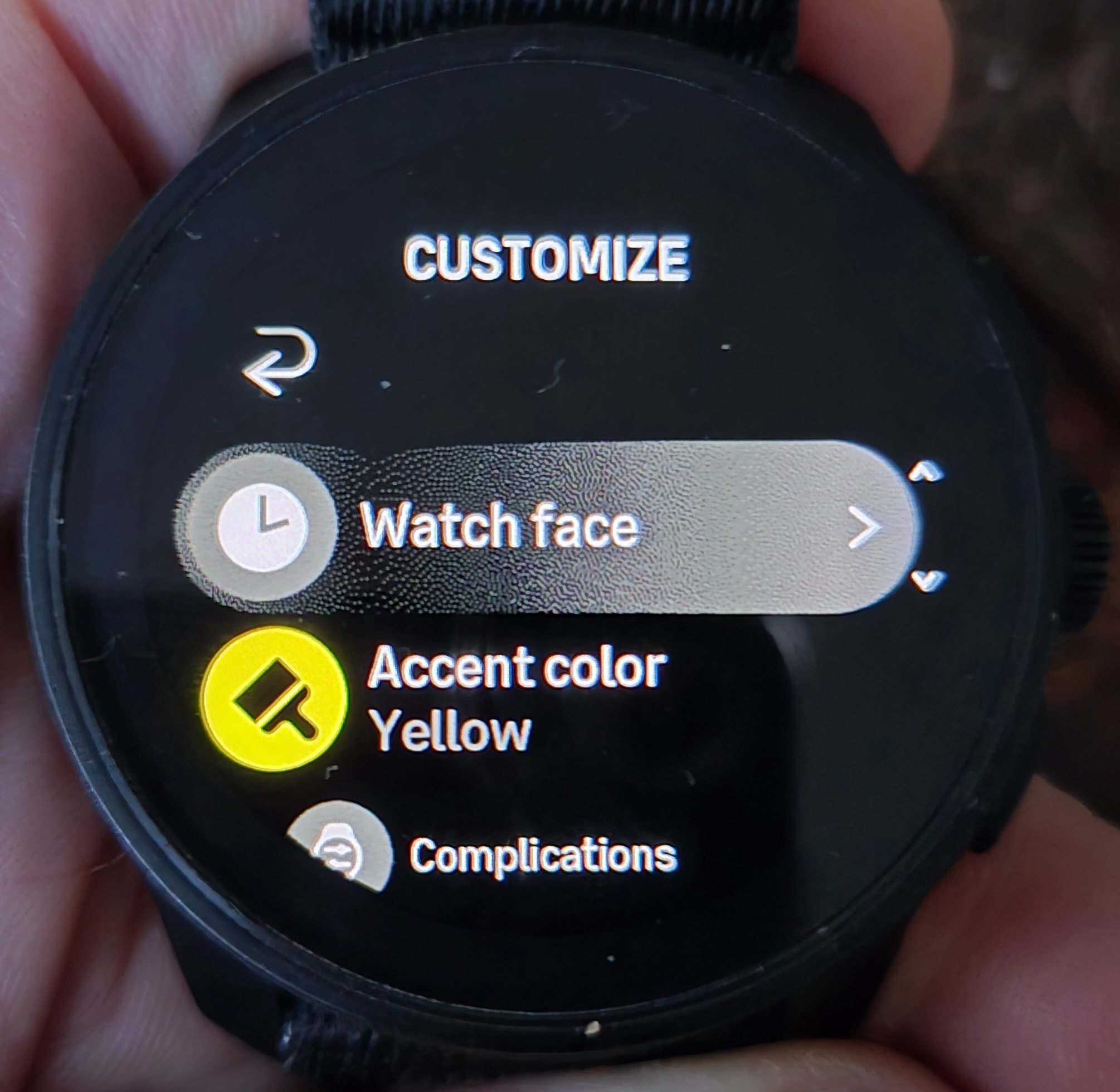
“Accent color” is just a small detail of a face. Sometimes it is the colour of the seconds dial of an analogue watchface, at other times an outline around the hour numbers of a digital face. On the Outback Adventure face it is the base colour of the whole upper arch halvcirkel:
Having chosen “Complications” you should see two options. First one, marked here by a thin yellowish line, denotes the whole upper half of the face. The second, and final choice, is the small grey box surrounding the date line. You move between the two complications by rotating the crown on a Race S (don’t know how on the V2, but probably ‘up/down’ buttons):
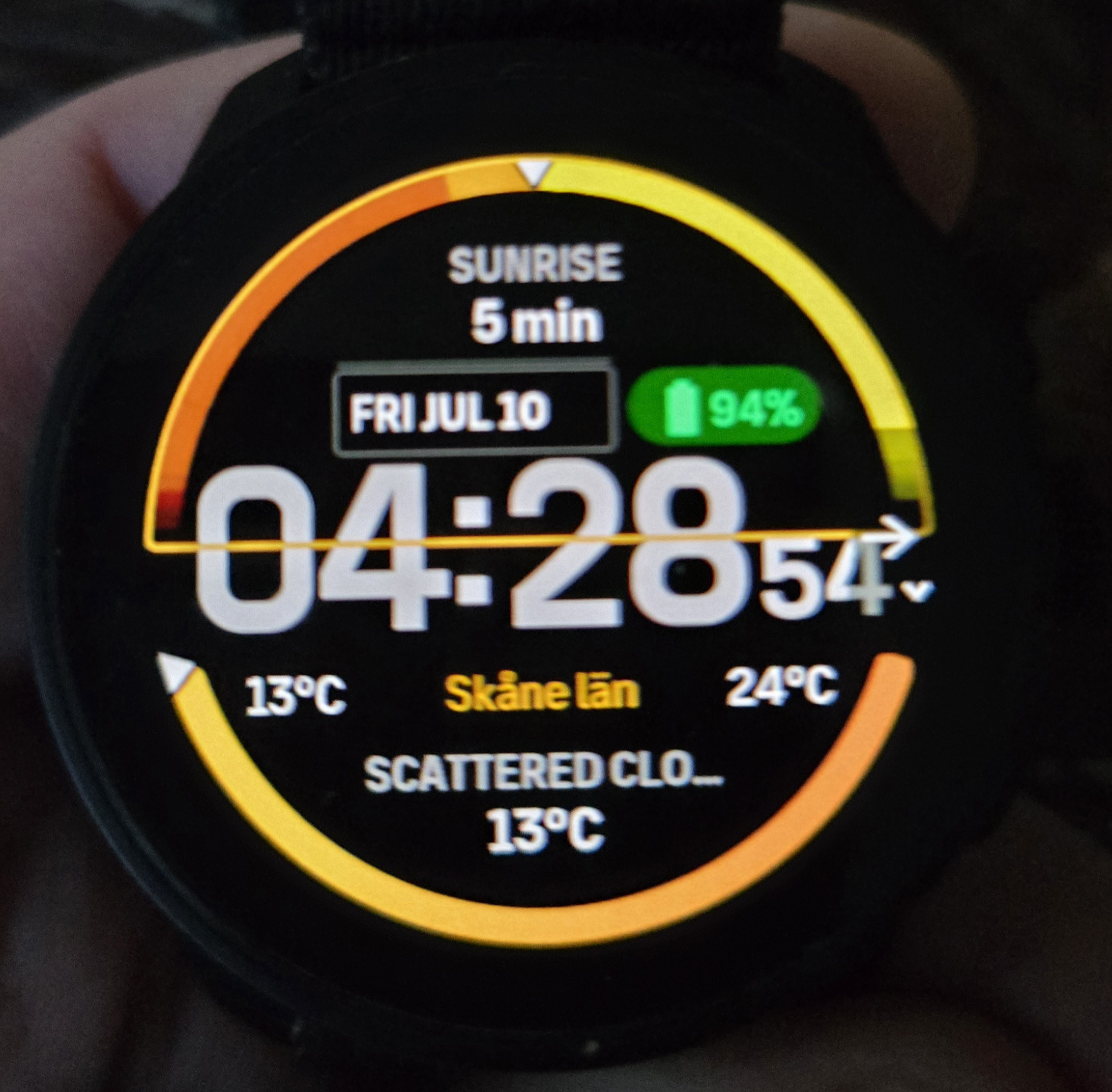
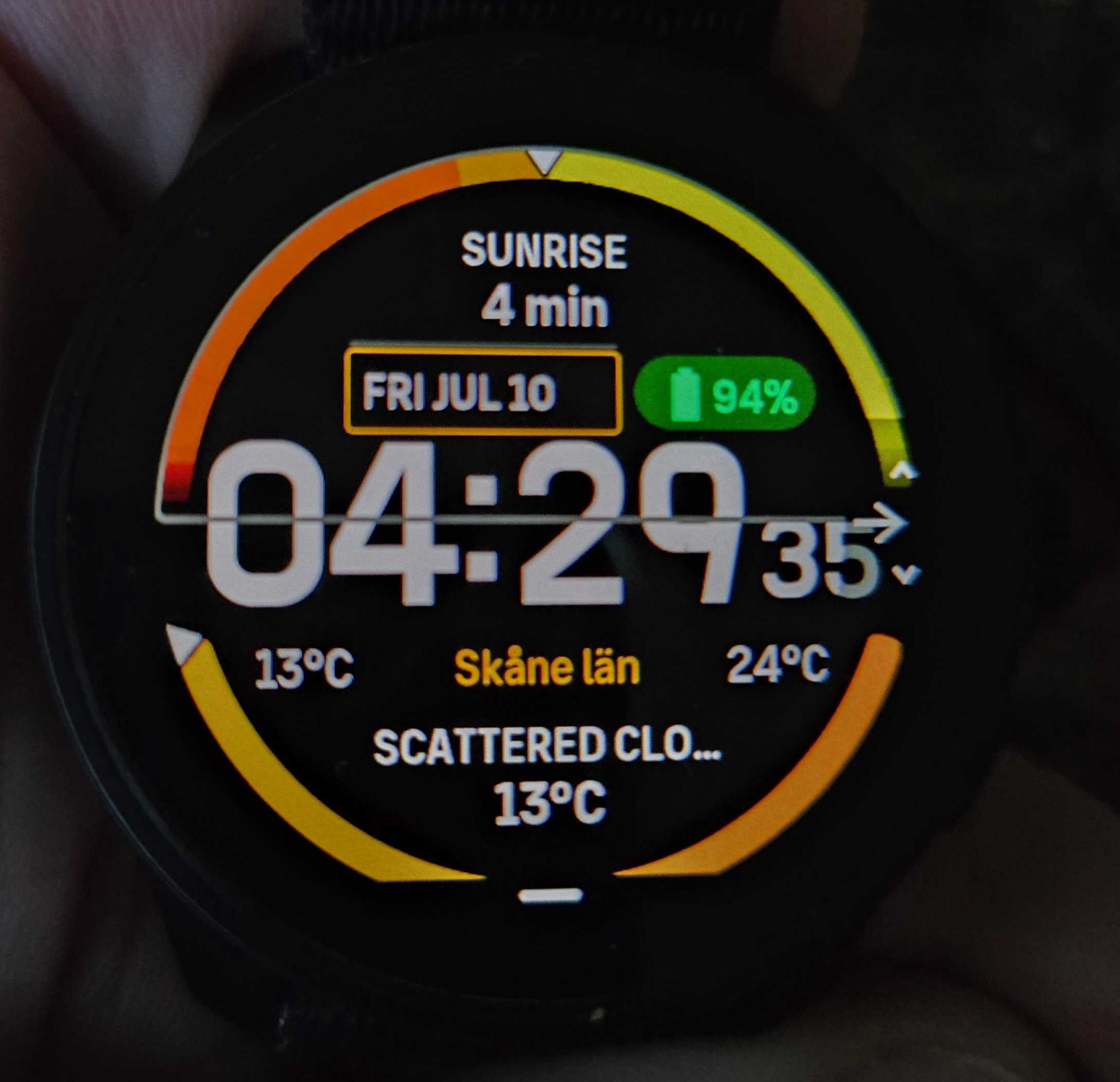
So, yellowish means chosen, grey not chosen. Clicking/pushing in the crown on a Race S leads to the selection menu. Rotating crown goes up/down in the list and pushing in selects something:
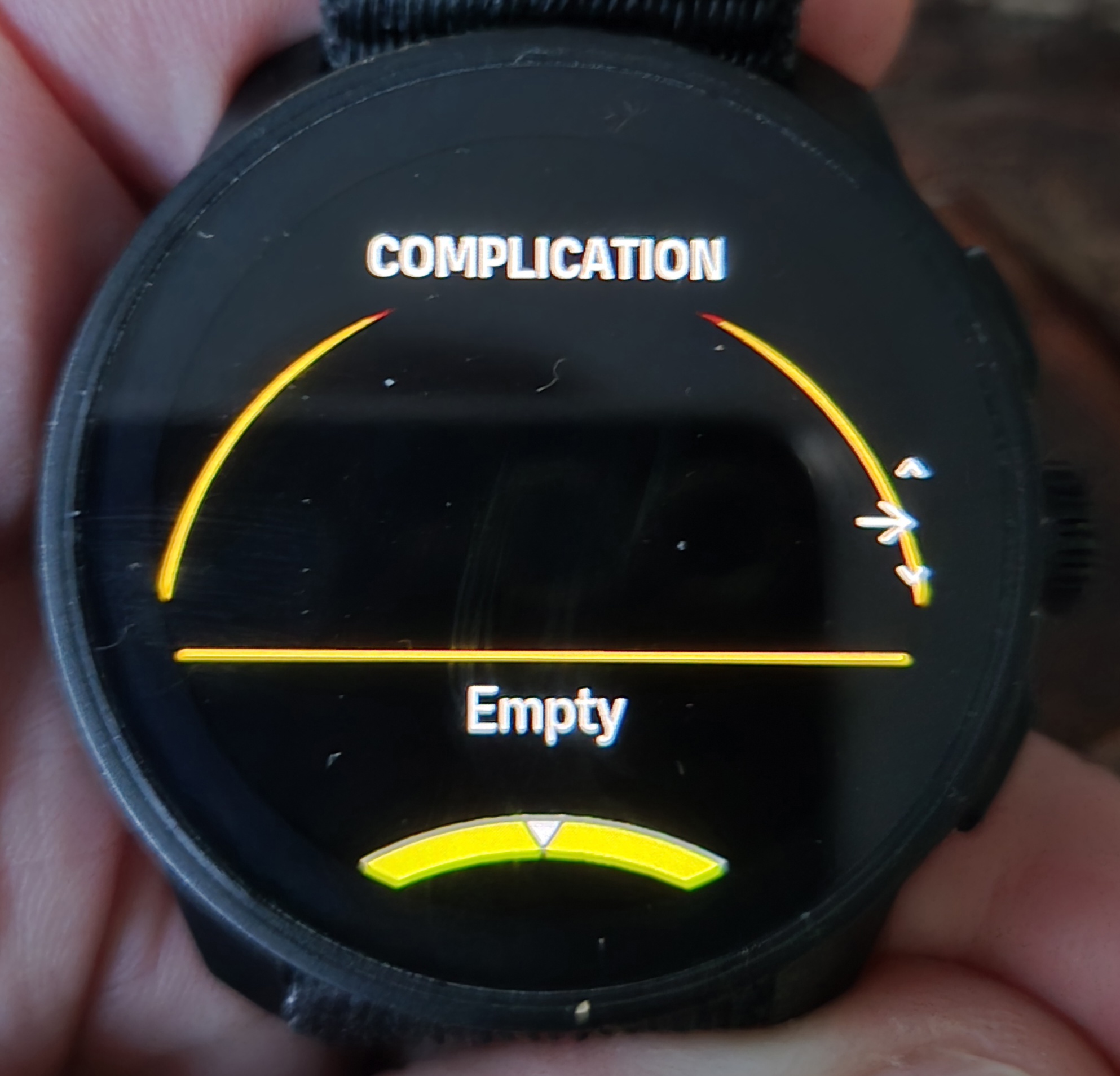
Out at the first complications selection menu I can leave on a Race S either by clicking the lower button, or by rotating the crown an extra step - a new small menu will glide into view with the single option of “Done”. Here I click the crown.
Let us hope your next firmware is a more pleasurable experience (what we know about that update is that you - on a V2 and R2 - will be able to remove/choose how much ‘clutter’ the on watch maps will show).
Edit 1: I see now that @manta also have a Vertical 2 and in another thread stated that the watchface got corrupted by the Suunto server cockup. Which probably means that the V2 can operate either with its own FW baked in Outback Adventure watchface, OR a server downloaded version of the face.
-
@Inge-Nallsson thank you for the detailed reply. Watch face is the same. No improvement. Will wait for the update. Thank you




Hello! It looks like you're interested in this conversation, but you don't have an account yet.
Getting fed up of having to scroll through the same posts each visit? When you register for an account, you'll always come back to exactly where you were before, and choose to be notified of new replies (either via email, or push notification). You'll also be able to save bookmarks and upvote posts to show your appreciation to other community members.
With your input, this post could be even better 💗
Register Login