Precise alignment of text and numbers
-
I was struggling with getting good alignment when combining font sizes and using text drawn on the canvas. I did this small experiment to understand better.
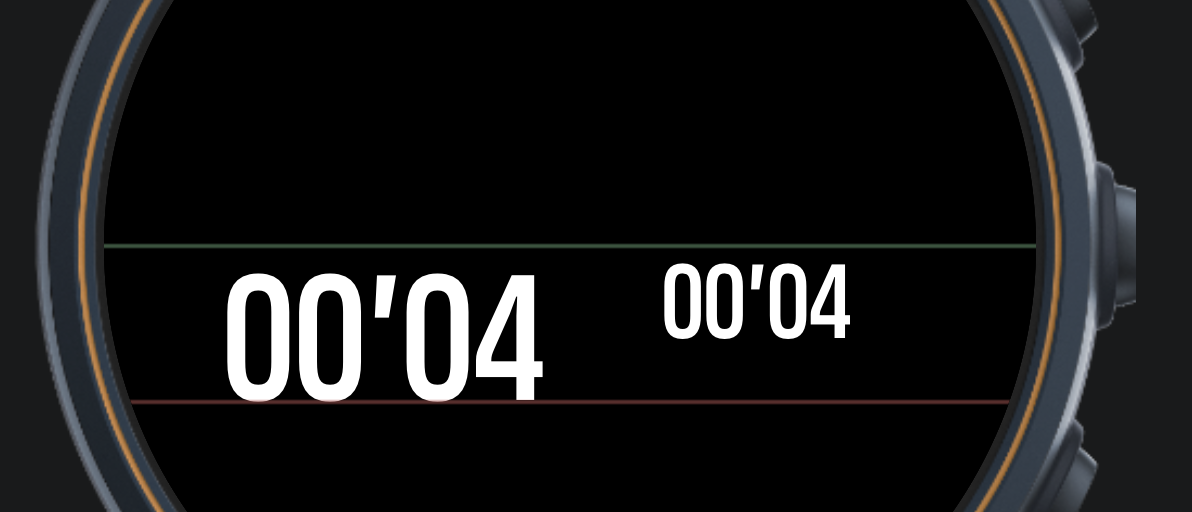 

This screen has two elements positioned like this<div class="f-d-m f-num" style="top:calc(50%);left:calc(30% - 50%e);"> <div class="f-d-xs f-num" style="top:calc(50%);left:calc(70% - 50%e);">The green line is at 233px (50%), the red line is 78px below, which is the font size for the ‘f-d-m’ font.
The height of the numbers is smaller than the font size, not surprising as such, but the effect with differents size fonts is that they do not align on the top.
With this setup …
 <div class="f-d-m f-num" style="top:calc(50% - 50%e);left:calc(30% - 50%e);">
 <div class="f-d-xs f-num" style="top:calc(50% - 50%e);left:calc(70% - 50%e);">
We get this …
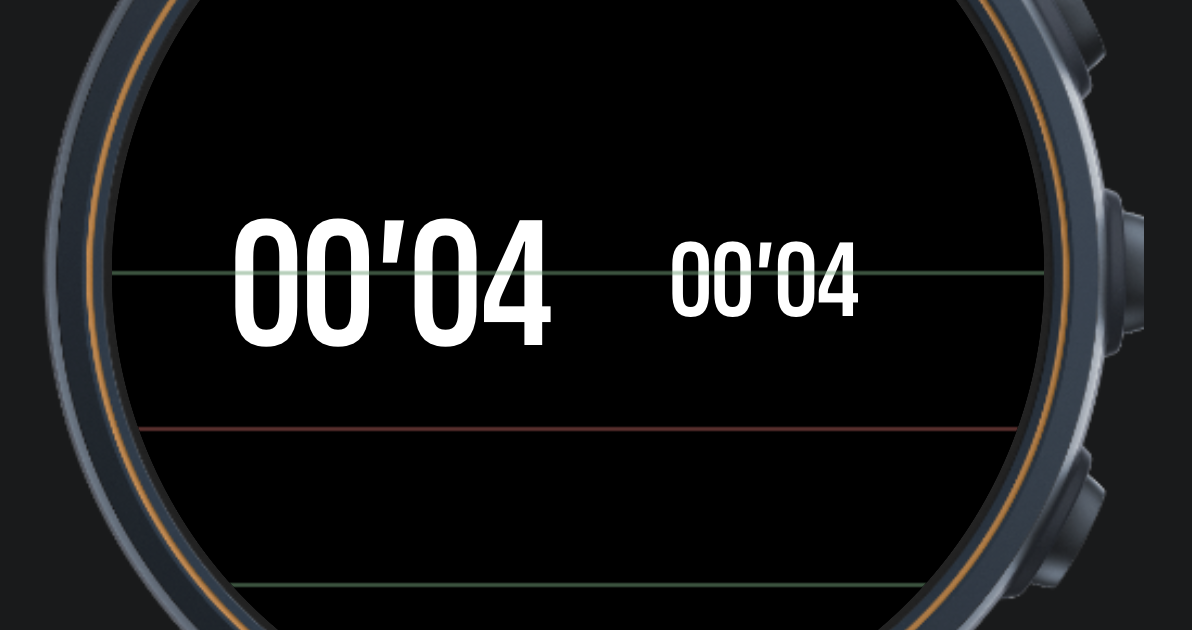 

Not precisely centered vertically but maybe good enough.Best seems to be to align at the bottom, i.e. -100%e.
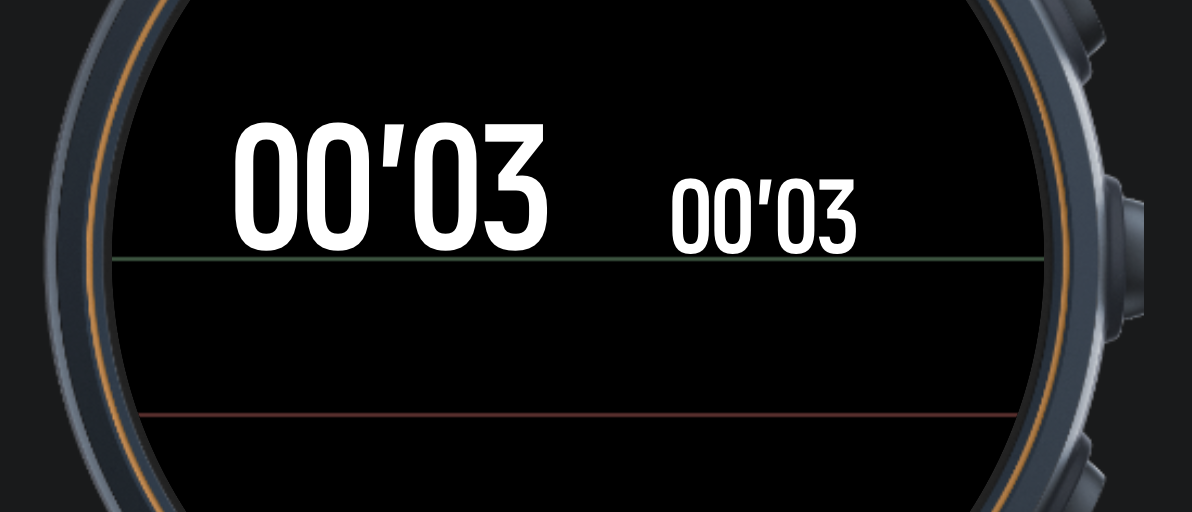 

It could be useful with more information about font metrics if we want to achieve perfect alignment. -
A bit more input on the font theme. I have struggled with the differences between how the simulator and watch renders fonts drawn on a canvas. This is the simulator.
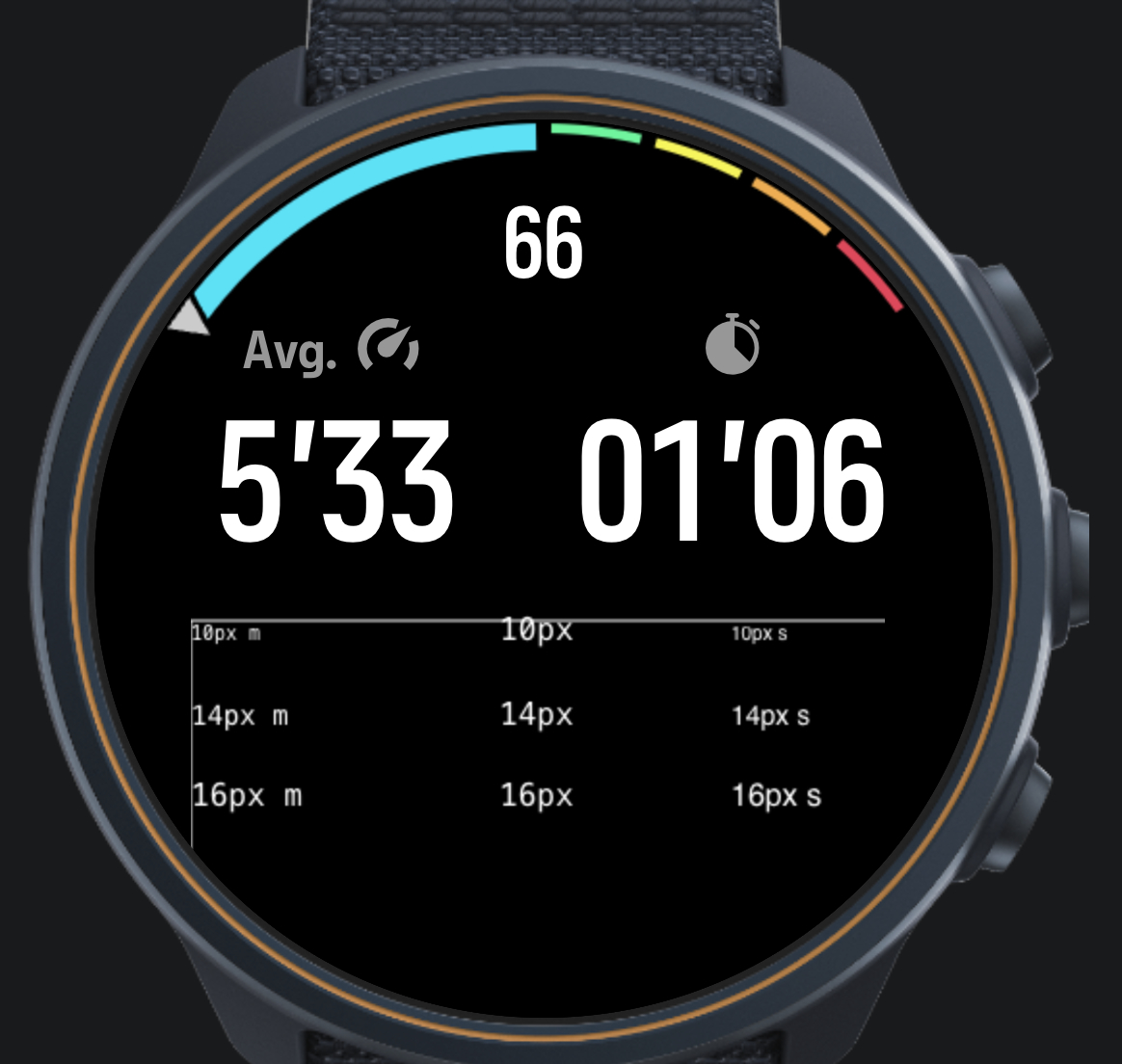 .
.Left column is monospaced text, mid is “plain”, right is sans-serif. The rows are 10, 14 and 16px as the text says. As you can see the “plain” font (only size given) is not supported on the simulator which will default to a standard font at one size.
This is the same code run on a Race S.
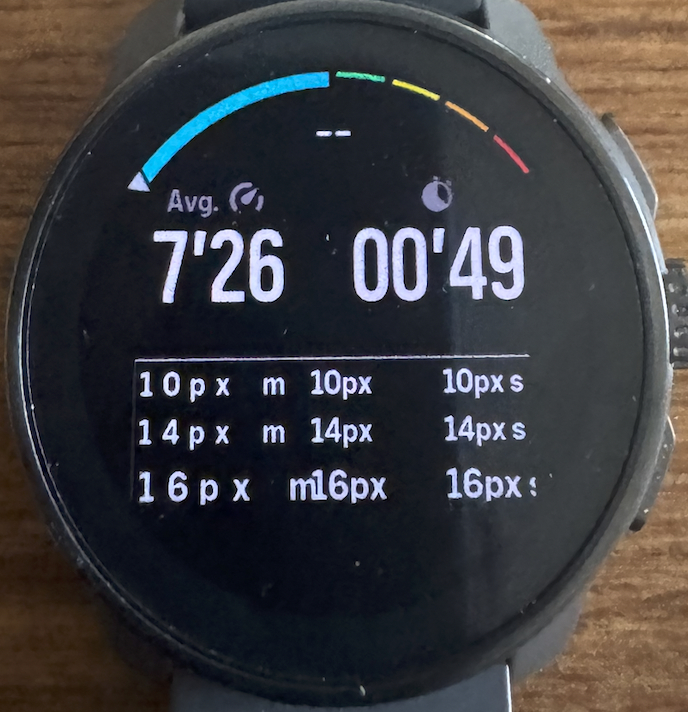 .
.The difference is pronounced. It looks like the watch renders at least twice the size that the simulator does.
On the watch I think the plain font works best. The monospace font is much too wide. Unfortunately when you use that font you cannot evaluate in the simulator.
-
M matram referenced this topic on
-
@matram
hello which tool is needed to customise the watchface?
have a nice day
vinc -
@vinc14
I have used the Suunto plugin for VS code for development of Suunto plus app.The data screen is basically a web page. Where Suunto provides elements you can use (like pace and duration above) but you can also create unique elements by drawing directly on a HTML canvas, like the gauge and the example text.
I do not believe Suunto allow you to program general watch faces, which I assume would use the same approach. Maybe something coming in the future.
/Mats
-
@matram We’re still eagerly awaiting the custom watch face functionality!

Hello! It looks like you're interested in this conversation, but you don't have an account yet.
Getting fed up of having to scroll through the same posts each visit? When you register for an account, you'll always come back to exactly where you were before, and choose to be notified of new replies (either via email, or push notification). You'll also be able to save bookmarks and upvote posts to show your appreciation to other community members.
With your input, this post could be even better 💗
Register Login