My Personal Swim Drills
-
Swim Drills – SuuntoPlus App Documentation
https://github.com/nousmc/Swim-Drills
Overview
Swim Drills is a SuuntoPlus application designed to track swimming drills (e.g. kick-only sets) where automatic distance detection is unreliable.
The app enables manual distance tracking while preserving native workout data from the watch.
Key Principles
- Manual control over drill distance
- Separation between native swim distance and drill distance
- Real-time visualization of combined total distance
- Minimal interaction during effort phases
Distance Model
The app manages three distance values:
-
Native Distance
- Source: watch (
Activity/Current/Distance) - Automatically recorded
- Cannot be modified
- Source: watch (
-
Drill Distance
- Manually calculated:
drillDistance = poolLength × lapCount- Accumulated across the session
-
Combined Distance
combinedDistance = nativeDistance + drillDistance- Used as the effective total distance
- Displayed during the workout and in summary outputs
Note: Combined distance does NOT replace the official workout distance.
App Workflow
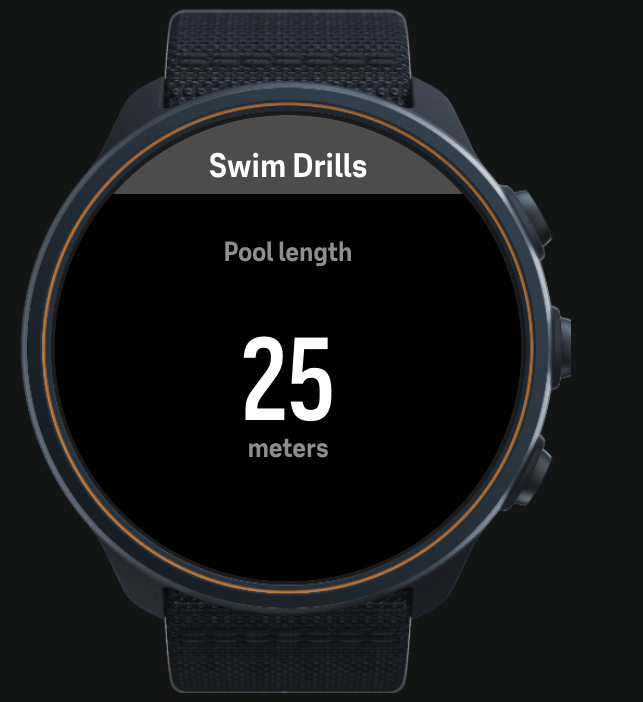
1. Pool Setup (initial only)
User defines pool length.
Controls
UP press→ +25 mUP long press→ −25 m (min 25 m)LAP→ start first drill
Behavior
- Executed only once at the beginning
- Value persists for the entire session
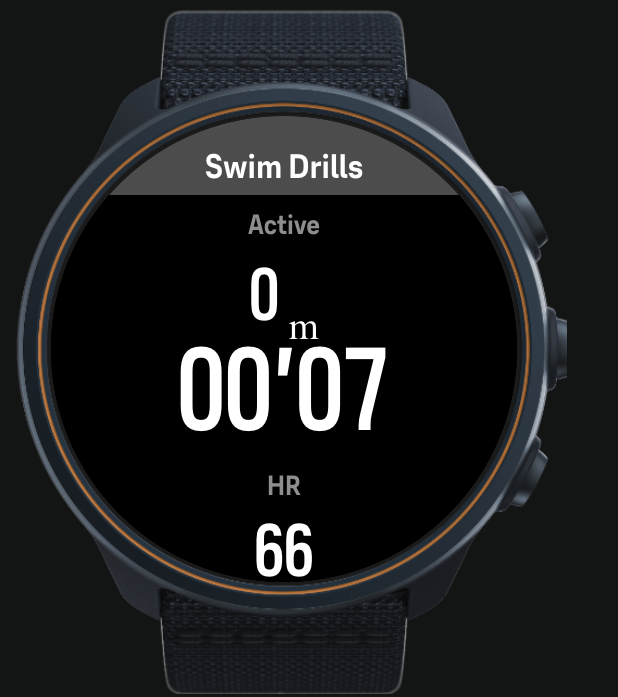
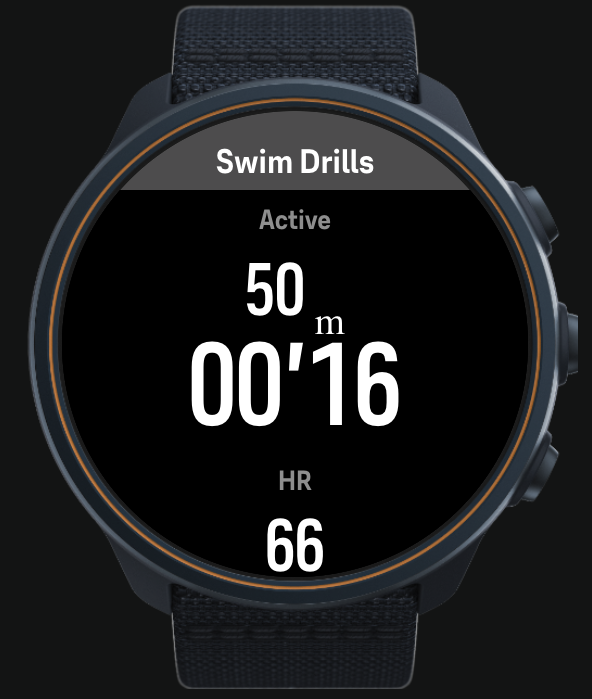
2. Swim Phase
Tracks active drill.
Display
Drills (m)→ cumulative manual drill distanceTimer→ elapsed swim timeHR→ heart rate
Controls
LAP→ end drill and start rest
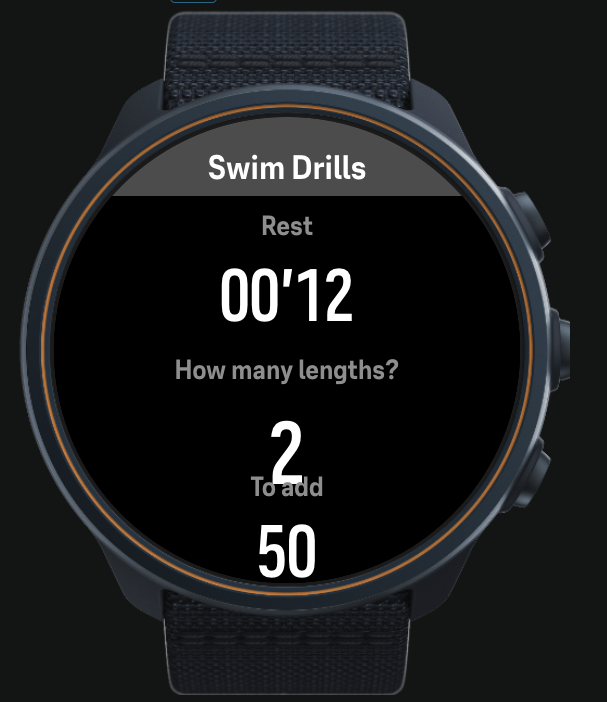
3. Rest + Input Phase (REST_EDIT)
Rest starts immediately.
User inputs number of completed lengths.
Display
- Rest timer (running)
- Number of lengths
- Distance to add
Controls
UP press→ +1 lengthUP long press→ −1 length (min 1)NEXT→ confirm
Result
drillDistance += lapCount × poolLength
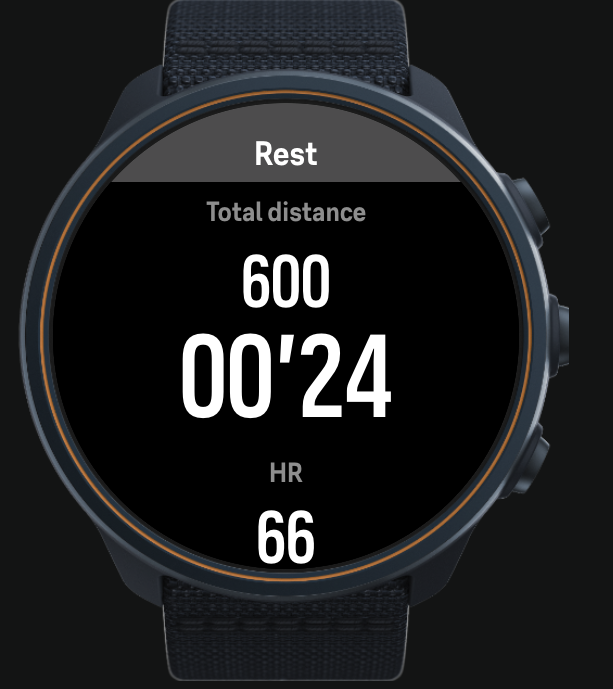
4. Rest View (REST_VIEW)
Passive recovery phase.
Display
Total (m)→ combined distanceRest timerHR
Controls
LAP→ start next drill
Timing Logic
Two timers are managed:
Swim Timer
- Starts on entering SWIM
- Stops on LAP
Rest Timer
- Starts immediately after swim ends
- Continues through:
- REST_EDIT
- REST_VIEW
- Resets on next drill start
Button Mapping
Button Action LAP (down) Start / stop drill UP press Increment value UP long press Decrement value NEXT Confirm input
UI Structure
Swim View
- Top: Drills distance
- Center: Timer
- Bottom: HR
Rest View
- Top: Total distance (combined)
- Center: Rest timer
- Bottom: HR
Summary Outputs
At the end of the activity, the app provides:
- Total → combined distance
- Drills → manual drill distance
- Swim → native watch distance
These values appear as SuuntoPlus custom summary fields.
Limitations
- Cannot modify official workout distance
- Combined distance is not exported as primary distance
- Manual input required for each drill
- No automatic lap detection
- No per-interval history
Recommended Use Cases
- Kick-only sets
- Technique drills
- Mixed swim sessions
- Structured workouts with manual control
Practical Recommendation
Use Combined Distance as the primary metric during training.
The official workout distance should be considered incomplete when drills are involved.
Hello! It looks like you're interested in this conversation, but you don't have an account yet.
Getting fed up of having to scroll through the same posts each visit? When you register for an account, you'll always come back to exactly where you were before, and choose to be notified of new replies (either via email, or push notification). You'll also be able to save bookmarks and upvote posts to show your appreciation to other community members.
With your input, this post could be even better 💗
Register Login