Sports Tracker on Apple Watch: app crashes when taking a break while following a route
-
Hi.
Coming from a Suunto watch. I have been using an Apple Watch for several weeks now with the Sports Tracker application.
I suffered three crashes with Sports Tracker on my Apple Watch recording an activity and I noticed it happens when I take a break, or stay on the same spot for some time, when I follow a route I created on the iPhone with the Sports Tracker app and transferred it on the watch.Examples of crashes:
Activity 1, end of December:
A Walk in the mountain.
Followed a route I had created on my phone.
Application crashed on my watch after 1 h 03 of recording when I took a break to drink a coffee. I don’t think I paused the activity (but I don’t remember to be honest). I stayed there about 30 minutes. When I wanted to continue the route, the app had disappeared from the main screen. I had to start an activity again with the same route. And I was lucky: I could find the previous recorded activity in the History of my watch. It crashed but it was stored.Activity 2, beginning of January:
A ride with a mountain bike.
Followed a route I had created on my phone.
Application crashed on my watch after 47 minutes when I took a break for 5-10 minutes. I did not pause the activity. But when I wanted to continue the app was already crashed. I could find it in the history. I had to start a new activity.Activity 3, today January the 10th:
A ride with a mountain bike.
Followed a route I had created on my phone.
Application crashed on my watch after 1 h 23 minutes when I took a break (maybe 5-10 minutes) when I wanted to continue the app was already crashed. I could find it in the history. I had to start a new activity.NOTE: I have also recorded other activities that did not crash, not sure but I don’t remember having stopped or taking a break.
My profile:
I have a profile I started 15 year ago with more than 1500 recorded activities/Workouts. I have currently about 30 routes stored. I usually delete the old routes I don’t use anymore.
All softwares are up to date. Sports Tracker v7.4.0, iPhone iOS 26.2, Apple Watch WatchOS 26.2.Anybody having the same problem?
-
If you record an activity and you don’t try to follow a route on the map of the watch it doesn’t crash
-
Today an activity I was recording on my watch (following a new route I created) crashed when I received a call… The app has problem locking me on the route: it beeps and says I’m out of the itinerary (but I am right on it) and it struggles a lot
-
I uninstalled on both the watch and the phone. Restarted both. Reinstalled the app. It seems to be better. No crashes so far…
But I still have the app is sometimes struggling locking me on the route. Waves of beeps… Have to deselect the route and reselect it. -
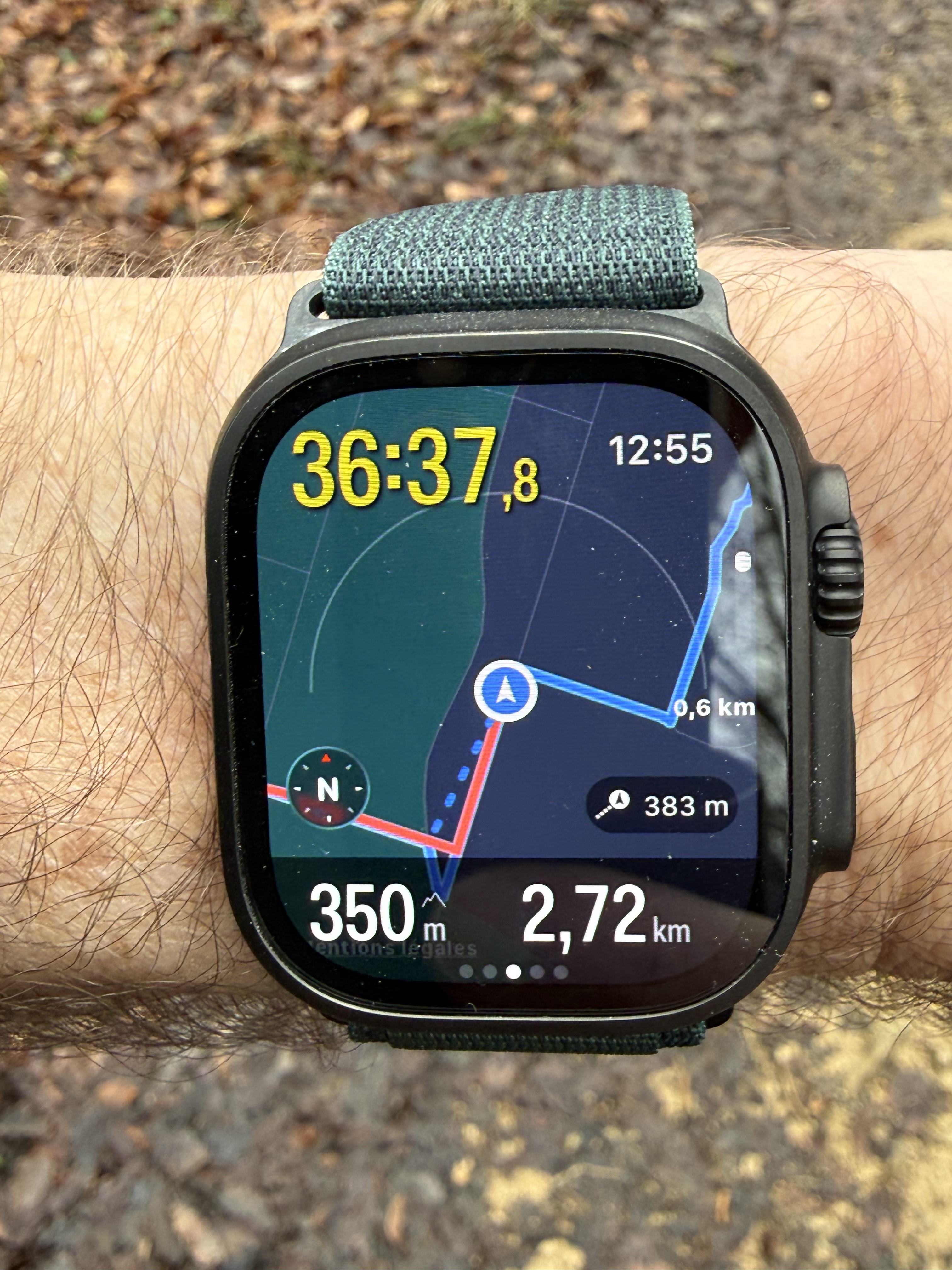
Still crashing: this app doesn’t like when I follow a route I have created. It struggles a bit to lock my position on the route. On this example my real position (red) and my route (blue): app is stuck 383 m from my real position (blue dots) because there was a small detour and it can’t process it. Eventually it crashes because distance is too far…
-
This post is deleted! -
Installed the latest version 7.6.0. I have found that the option Turn-by-turn when activated it seems the route is more stable.…
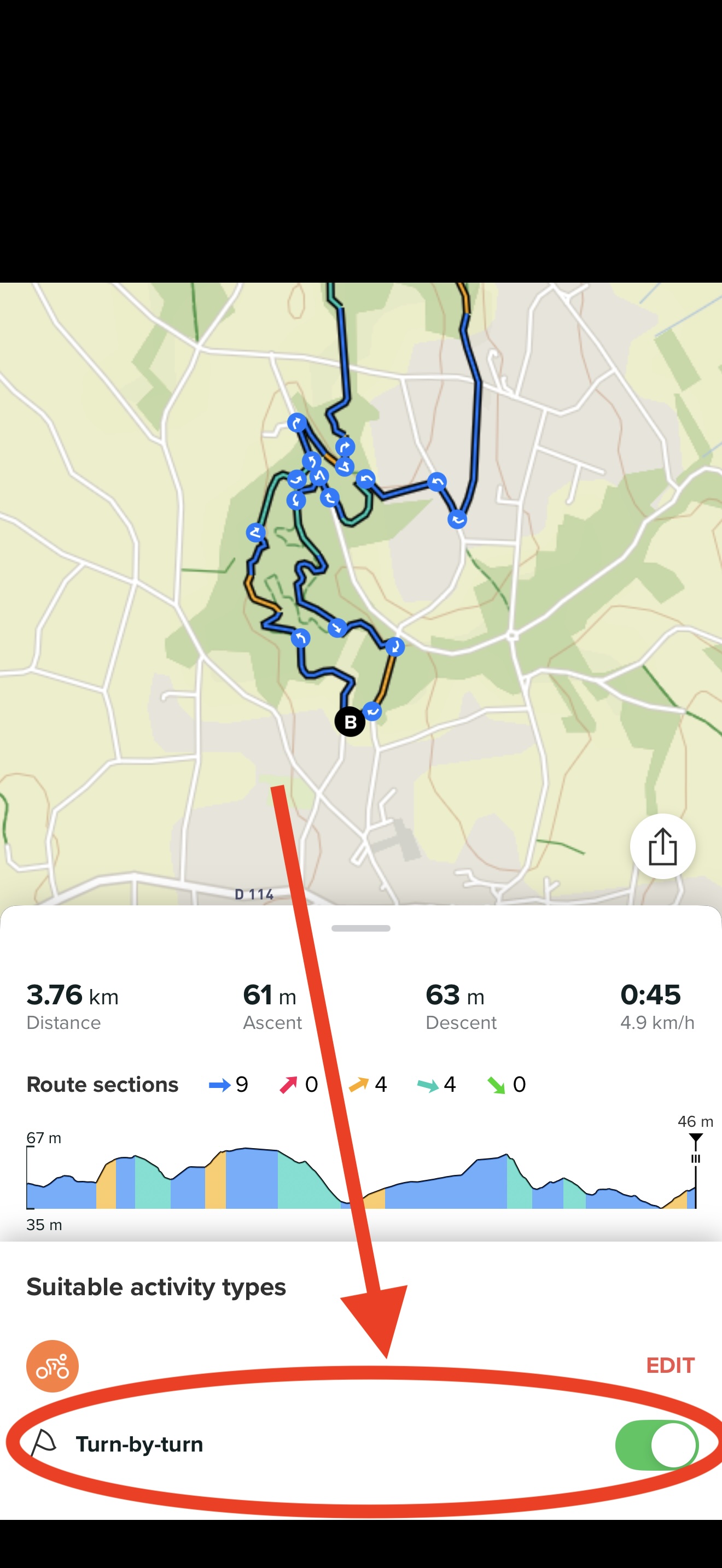
Not used to activating this option
-
@Julfox thanks for reports I transmitted it to developers
-
@pavel.samokha said in Sports Tracker on Apple Watch: app crashes when taking a break while following a route:
I transmitted it to developers
Thanks Pavel


Hello! It looks like you're interested in this conversation, but you don't have an account yet.
Getting fed up of having to scroll through the same posts each visit? When you register for an account, you'll always come back to exactly where you were before, and choose to be notified of new replies (either via email, or push notification). You'll also be able to save bookmarks and upvote posts to show your appreciation to other community members.
With your input, this post could be even better 💗
Register Login