[Discussion] Share your projects
-
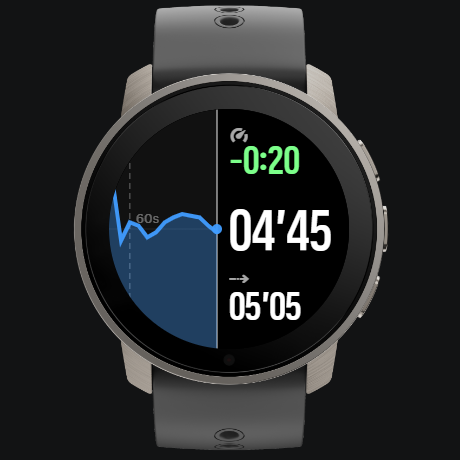
Here’s my little S+ app called “Constantin” that shows either pace or HR in split view:
Graph on the left and delta / current / average on the right.
Top button switches between pace and HR.
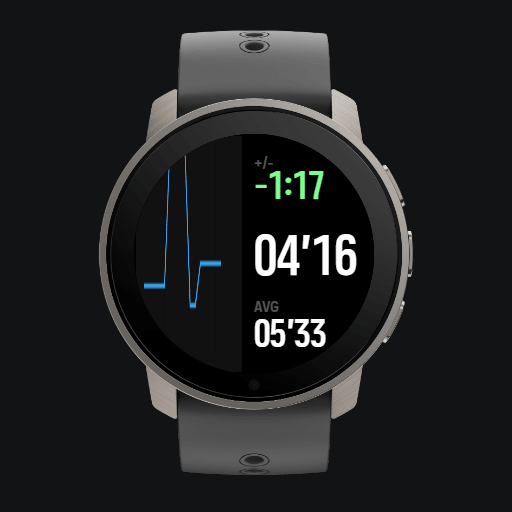
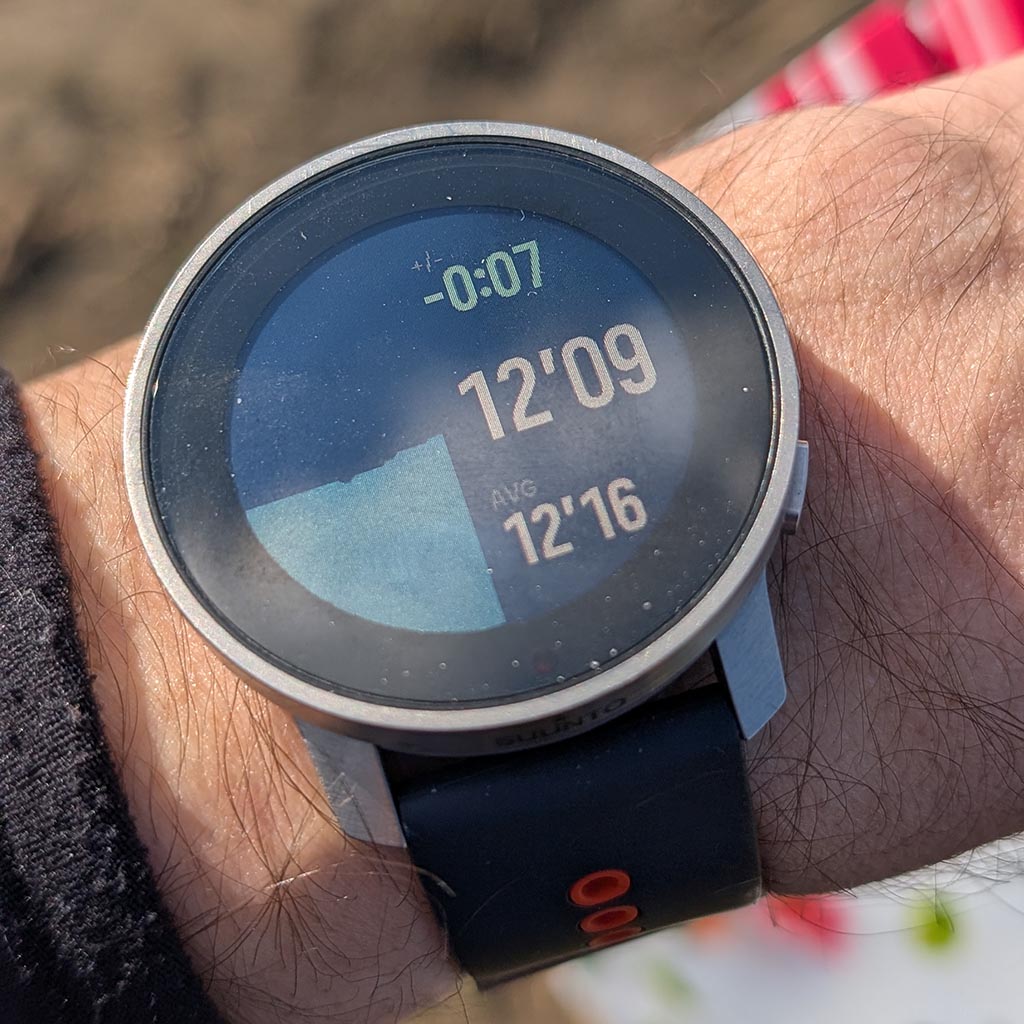
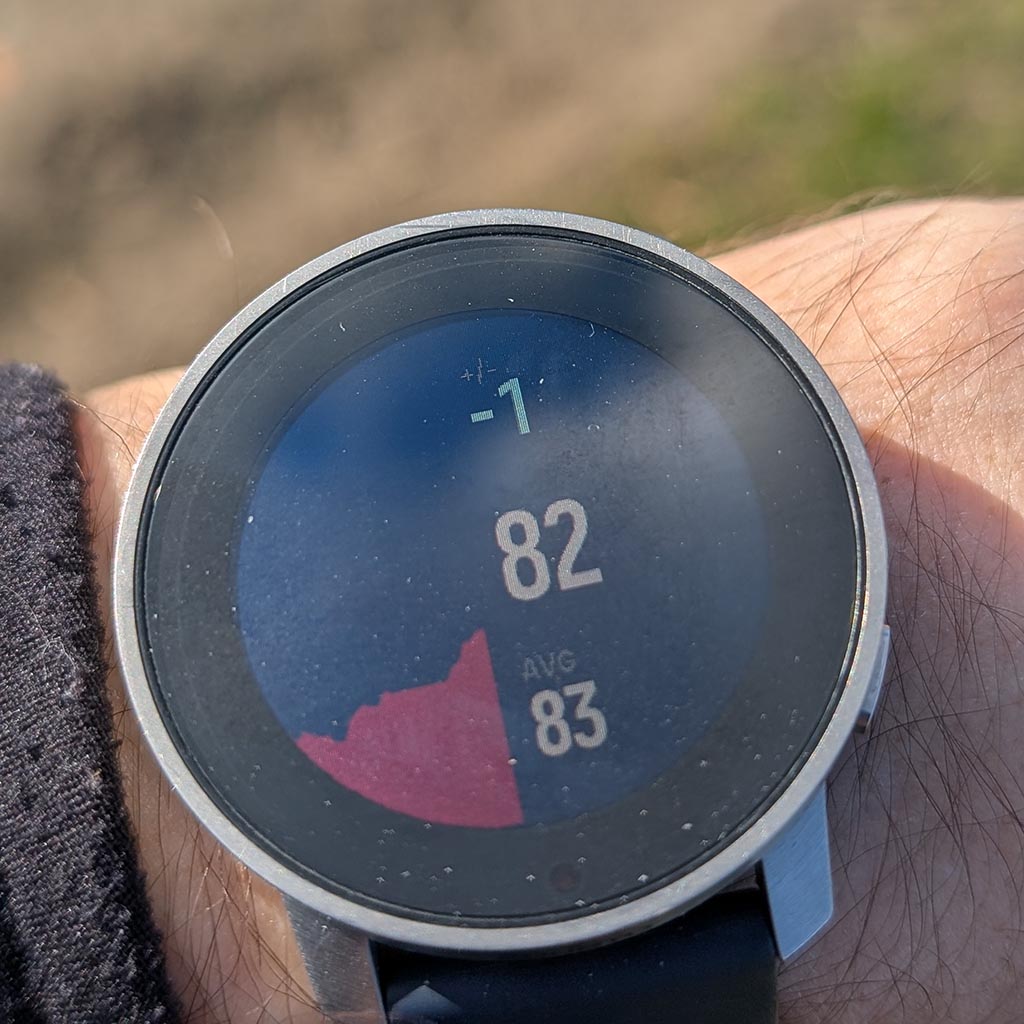
When I run I tend to have quick glimpses on my watch to see if I have a tendency to go too fast or if my HR climbs. So I have designed a view that shows me if I’m actually deviating from the average in pace or HR or not.
S9PP 2.50.28
-
It’s evolving

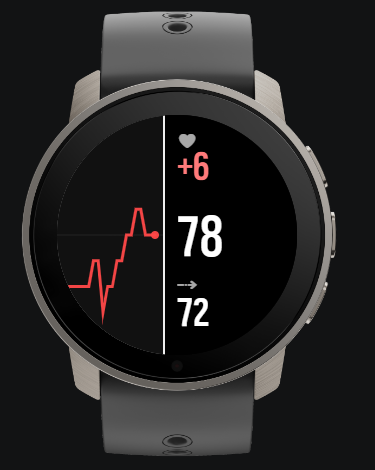
I went for canvas instead of default chart so that I can have the latest value exactly in the center.
-
@Łukasz-Szmigiel Hope to see this in the Store soon—it looks incredibly useful.
-
@Bigb0zz thanks, I just filled in the form to become a Suunto Partner. I’ll upload it after I’m accepted.
-
@surfboomerang said in [Discussion] Share your projects:
All of the values are known, except the bearing to the POI. Is there any way to get this information?
It should be possible to just calculate the bearing yourself.
I think we are looking at the loxodrome here:
https://en.wikipedia.org/wiki/Rhumb_linet6, S6, Elementum Terra, Ambit 3 Sapphire, Spartan Ultra Copper, Traverse Alpha, S7 Graphite LE, S9B Ambassador, S9P Titanium, S9PP Titanium, Vertical All Black, Race Titanium Charcoal, Race S Titanium Courtney, Run Lime, Race 2, Vertical 2 Titanium
-
@wilson75 thanks for the heads-up! Yes, that was me. After seeing such great feedback here and on Reddit, I decided to join the Partner Program and bring the app to the SuuntoPlus Store for everyone to enjoy.
-
@guderaber can you opensource it? I’d like to pitch in. Me & Claude just deved the climb log app and debuged the whole issue that it crashes/can’t be enabled.
-
@Egika That would be possible if the coordinates of the POI are known. The problems is that the only value for POI seems to be the distance. (/Navigation/Poi/Active/Distance)
Target location (/Navigation/Targetlocation/Distance and /Navigation/Targetlocation/Coordinates) does seem to provide this information but when you select a POI the target location remains empty.
-
Constantin ready for release!
Data on the right refreshed once per second.
Data on the chart refreshed once per 6 seconds with an average from those 6 seconds to make the chart smoother. Also, the chart positions dynamically up and down every second (the dot represents current pace / HR).
Two modes available - one for pace, second one for HR (switched with top button).
Designed to make running more constant.
-
@Łukasz-Szmigiel Very nice! Can’t wait to try it out.
-
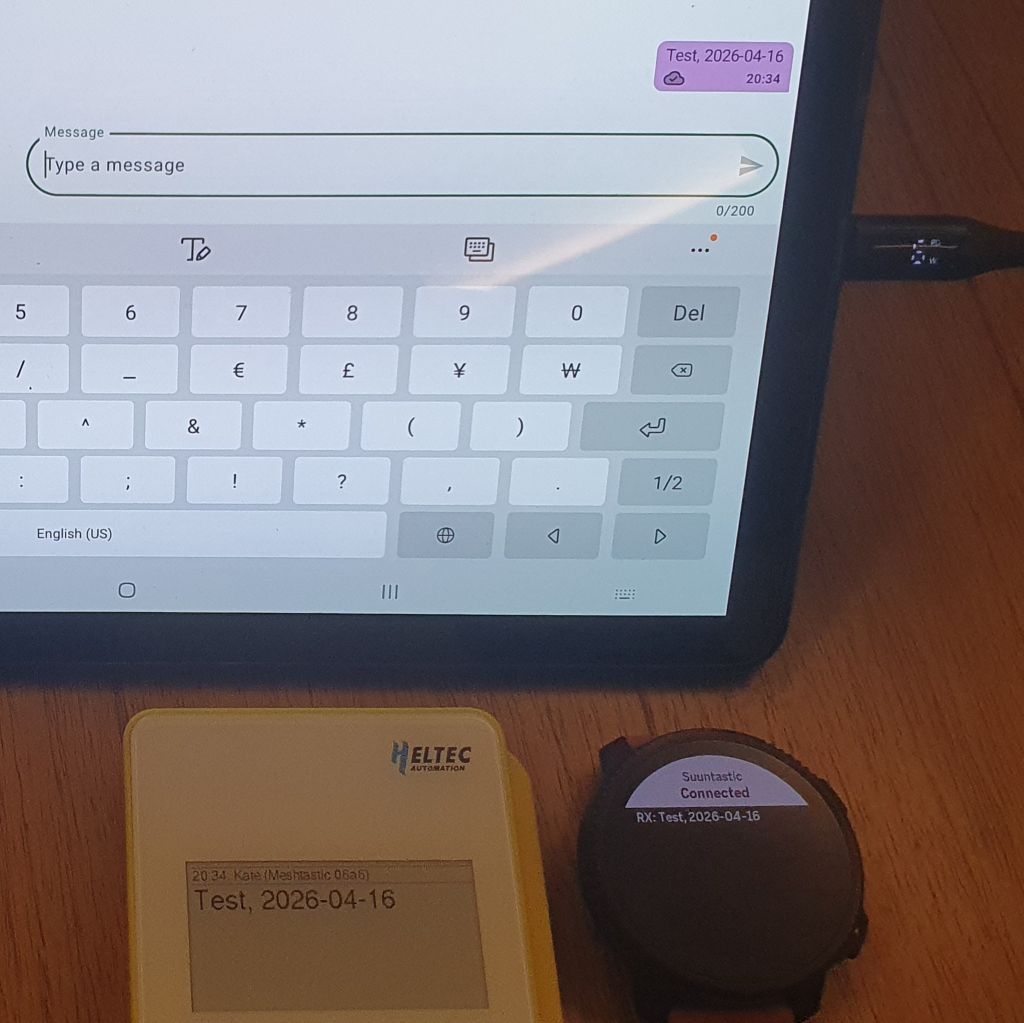
I wanted to share a project/proposal I have been working on recently. I am a fan of both Suunto and Meshtastic (the open-source, off-grid mesh network), and I have been thinking about how powerful it would be to bring them together. I have just posted a proposal on the Meshtastic GitHub.
The goal is to allow users of Suunto watches (and users of other sport/smartwatches if they support the integration) to receive messages & geo-positions from the Mesh-network. Since this is an integration between two different ecosystems, a lot depends on the feedback and interest from the Meshtastic side.
Regardless of the outcome, diving into the logic of how these two systems could talk to each other has been an incredibly fun and exciting experience!
-
I Just got my device this last week and was happy to find they just released the Development Environment to make apps.
I ended up selling my Garmin after they release a rucking activity but only for the newest devices.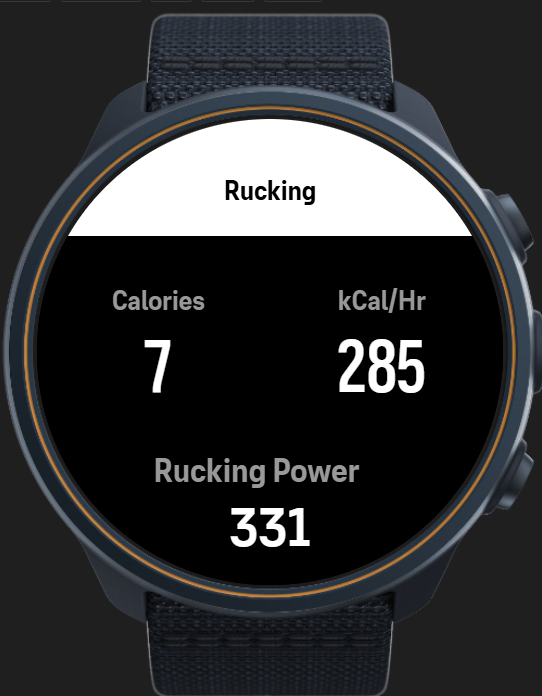
So now i can build one here. (Right now just Pandolf Calculation) But playing with adding the ability to adjust weight on the phone optionally as well (instead of just as a settings though the phone app)
-
@Thibault-B. Well… I’m still waiting for Suunto to open up an account for me.
-
@Łukasz-Szmigiel I’m also waiting for your app.


-
It’s live, babe!
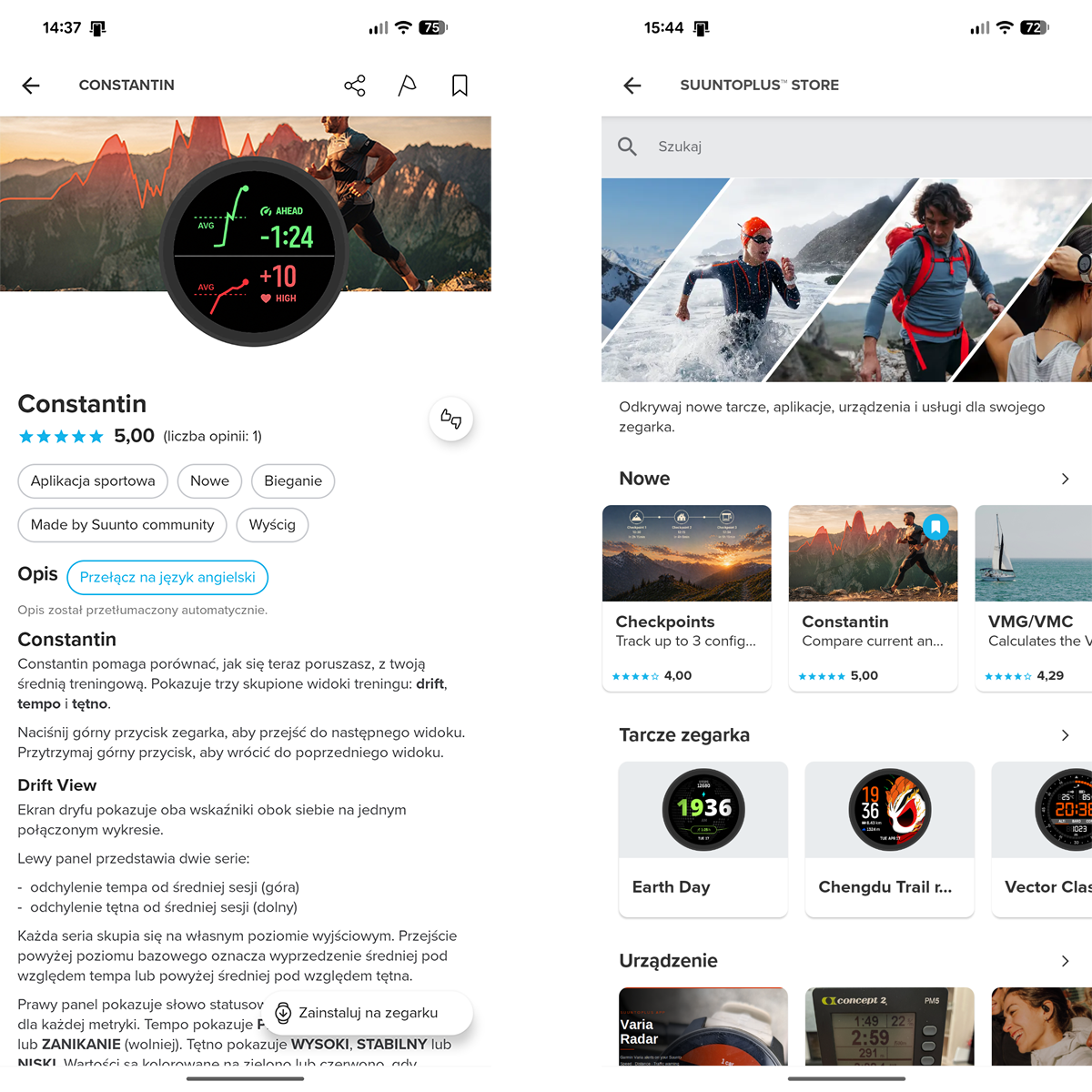
I’m now proudly waiting for all “dude, it sucks / doesn’t work” comments

-
I have something a little different. I built an android app which can deploy your suuntoplus apps from your phone! Basically you don’t need to worry about sync anymore. You just have your custom watch apps inside some directory on your phone and then send them over whenever you need to. No more need for for a pc / vscode

Works on my Race and I don’t see why it wouldn’t on others. Teste with fea files (remember to select the right built package for your watch). Suunto may at some point change the protocol, but probably not anytime soon. Hope this helps anyone

<removed old link>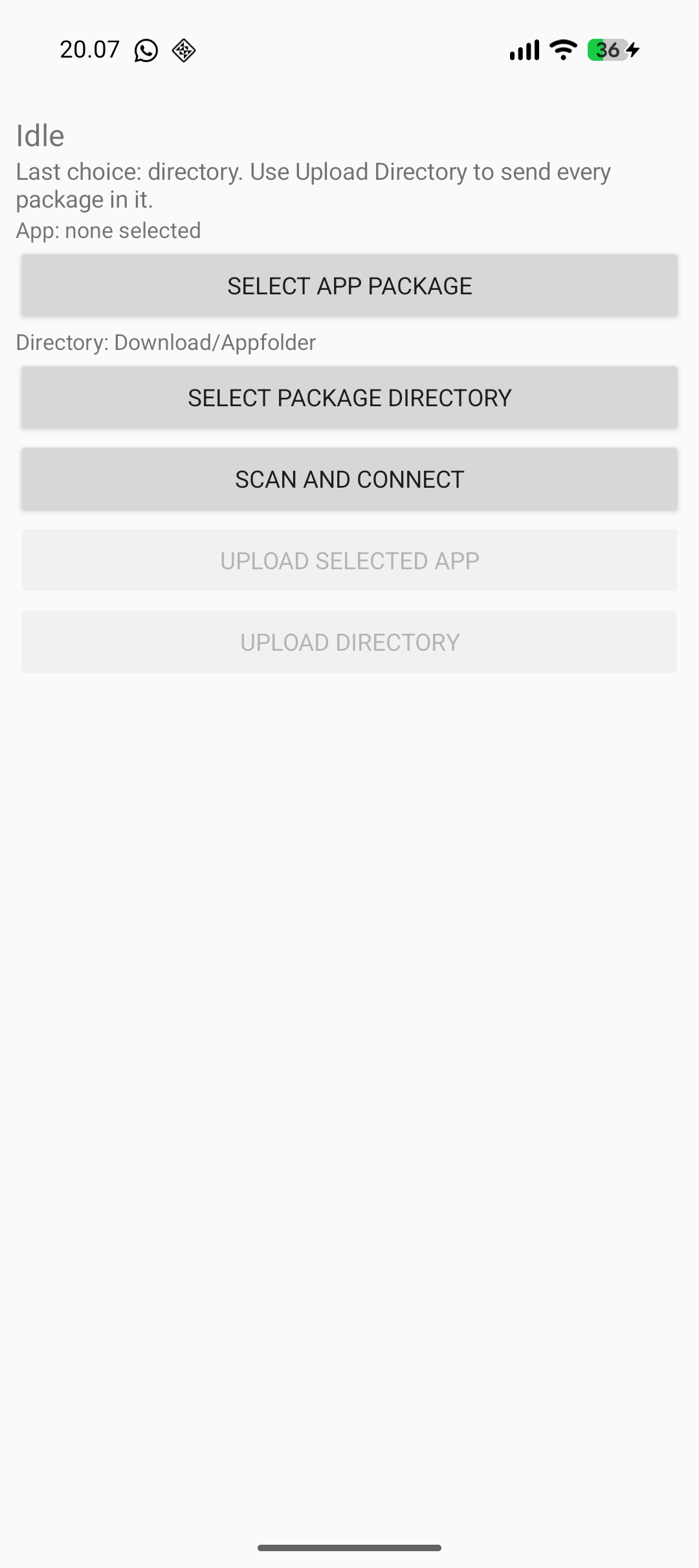
Edit. if the app does not connect, make sure you aren’t connected to something else like VS Code for example. The app has few permissions and no internet connection btw
Edit 2. Here’s the repo if you wish to build it yourself. At the top you can see “tree”, which shows the root of the repository where you can find the pre-built binary.
-
@SyncBypass this is pretty cool. Care to share some details on the protocol used to push the s+ app via bt?
-
@Łukasz-Szmigiel the repo now contains some kind of an explanation. As I don’t understand anything about anything, I simply handed the captured communication to an LLM and had it vibe the app.
-
@SyncBypass cool, I’ll take a look in the repo. Thanks, that’s really clever work you did. It’s amazing what can be done with llms now.
-
@skyfi yes, i would be happy to have some collaborator, that may introduce new ideas. https://github.com/aabbeell/suuntopo
reach me out there, as i dont read this very frequently







Hello! It looks like you're interested in this conversation, but you don't have an account yet.
Getting fed up of having to scroll through the same posts each visit? When you register for an account, you'll always come back to exactly where you were before, and choose to be notified of new replies (either via email, or push notification). You'll also be able to save bookmarks and upvote posts to show your appreciation to other community members.
With your input, this post could be even better 💗
Register Login